Docs demos that keep themselves current: re-recorded on your Mac when your product changes
Auto-refresh on your Mac: when a merged PR or a docs edit puts a demo in your docs out of date, your own coding agent records a new take on your Mac.
By the tday.com team Published 6 min read
The short answer
Auto-refresh on your Mac re-records the demos in your docs when your product changes. When a merged pull request touches a demo's feature, or its docs section changes its text, tday.com queues a re-record on your Mac, and your own Claude Code or Codex records a new take. Your docs play it as soon as it is ready. It is on the Growth plan and above.
Key takeaways
- Turn on Keep docs demos current for a product in tday.com for Mac, under Demos > On this Mac. It is on Growth and above.
- A re-record is queued when a merged pull request touches the feature a docs demo shows, or when its docs section changes its text: the same signals as Needs update.
- Your own coding agent records the new take on your Mac, on your own subscription, and nothing runs in tday.com's cloud. The recorded footage leaves the Mac, and while a run goes its terminal is relayed through tday.com so you can watch it.
- Every docs embed points at the demo, not one version, so the docs play the new take with no copy and paste and no pull request.
- At most one automatic re-record per demo for each change, a few a day for each product, and only while the Mac is online. You can watch or stop each one on tday.com.
A demo in your docs is right the day it is recorded. Then a pull request renames a button, or someone rewrites the page it sits on, and the video no longer matches. Finding out is the easy part. Re-recording it is the work nobody schedules.
Auto-refresh on your Mac does that work for you. When a demo in your docs goes out of date, tday.com has your own coding agent record a new take on your Mac, and your docs play it once it is ready. Nobody copies an embed, opens a pull request or sits at the keyboard.
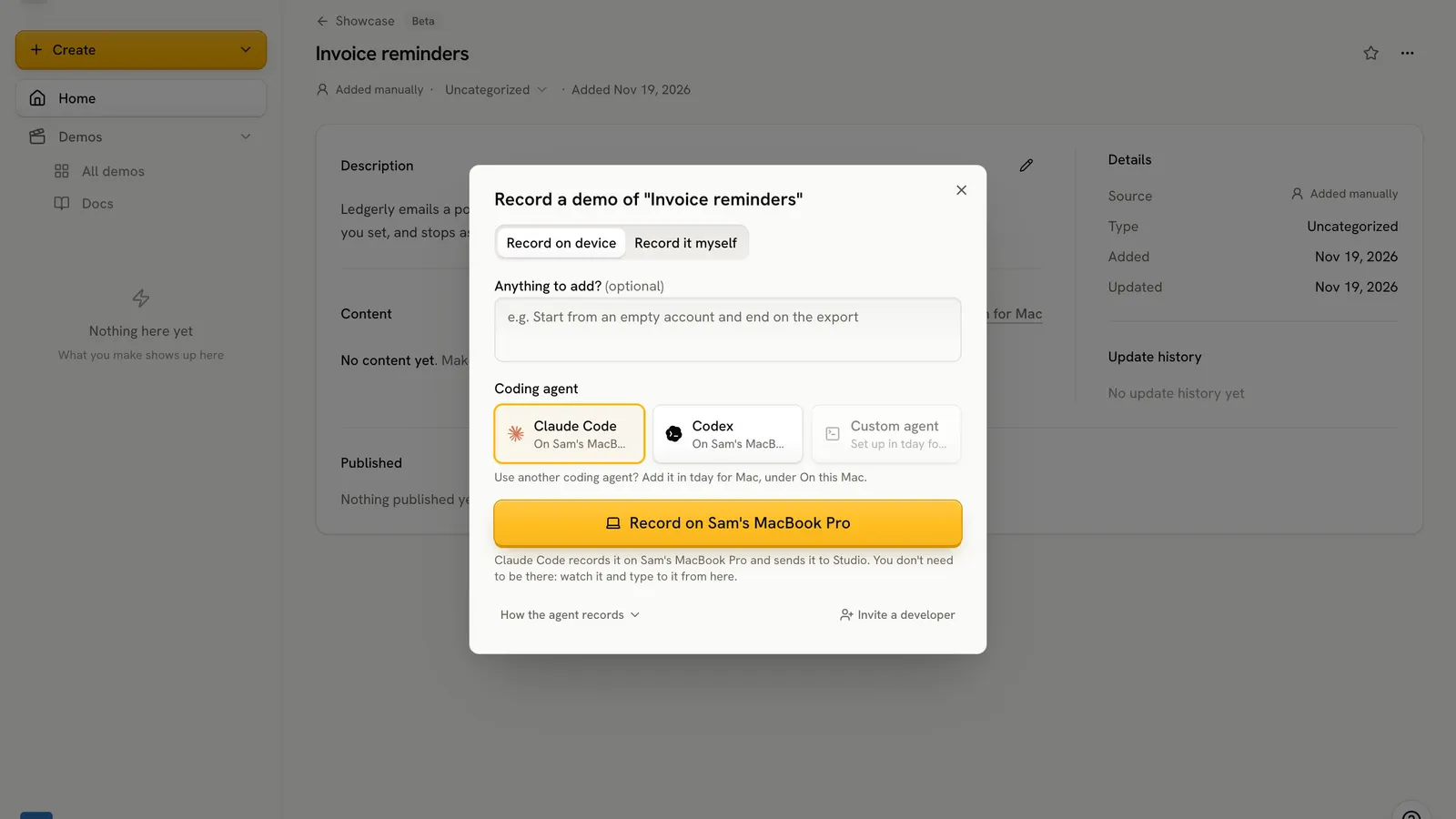
It is built on two things tday.com already does: Needs update, which spots demos a change may have put out of date, and Demos from anywhere, which lets tday.com start a demo on your Mac with your own Claude Code or Codex.
Who it is for
Teams whose docs carry demo videos and whose product changes often. If your agent already records the demos in your docs, this keeps them true without anyone remembering to re-record them.
It is on the Growth plan and above. On Pro, Needs update still lists the demos that went out of date, and you record them again yourself. For the manual way, see how to keep product demo videos up to date.
How it works
- A demo goes out of date. A pull request you merge touches the feature a demo in your docs shows, or the docs section the demo sits under changes its text.
- tday.com queues a re-record on your Mac. It goes to the Mac you set up, for that same demo.
- Your coding agent checks whether it needs one. The next time the Mac is online with tday.com for Mac open, your own Claude Code or Codex reads what changed (the merged commits in your repo, the docs text as it reads now) against what the demo shows and says. A typo fix, or a change to a part of the product the demo never visits, leaves the demo as it is: the agent marks it still accurate, says why in one line, and records nothing.
- Otherwise it records a new take, on your own subscription.
- Your docs play the new take. The re-record becomes a new version of the same demo. Every docs embed points at the demo, not at one version, so the docs play the new take as soon as it is ready.
What starts a re-record
Two signals, the same ones the Needs update tab uses:
| Signal | What it means |
|---|---|
| A merged pull request | A change you merged touches the feature the demo shows. |
| A docs edit | The docs section the demo sits under changed its text. |
Only demos that are in your docs are re-recorded this way, and only when your agent finds that something the demo shows or says really changed.
What runs on your Mac, and what leaves it
The re-record runs on your Mac like any demo tday.com starts there. Nothing runs in tday.com's cloud.
- The agent runs on your Mac, on your own Claude or Codex subscription.
- The agent cannot change your code. Claude Code runs without its file-editing tools, and Codex runs in its workspace sandbox.
- It records a separate copy of your app with its own data, and asks before it uses shared or live data.
- The recorded footage of your app leaves the Mac, once it passes tday.com's checks.
- While a run goes, the agent's terminal is relayed to your browser through tday.com so you can watch it from anywhere. Anything the agent shows there, including code it prints, passes through tday.com and is kept for a few hours so the page can redraw it. The full log stays on your Mac.
Limits
- At most one automatic re-record per demo for each change.
- A few automatic re-records a day for each product.
- Re-records start only while the Mac is online, with tday.com for Mac open.
- You can watch each one on tday.com and stop it, like any other run on your Mac.
Each re-record is a new version of the demo, so it counts toward your plan's new versions a month like any re-record.
How to turn it on
- Set up Demos from anywhere once: install tday.com for Mac, sign in to Claude Code or Codex in a terminal, and add your copy of the product's repo under Demos > On this Mac.
- On the same page, turn on Keep docs demos current for the product.
- Leave tday.com for Mac open on that Mac.
From then on, a change that puts a docs demo out of date gets a new take on its own. To stop, turn the switch off.
Frequently asked questions
Which plans include Auto-refresh on your Mac?
Growth and above. On Pro, the Needs update tab still lists the demos that went out of date, and you record them again yourself.
What makes tday.com re-record a docs demo?
A pull request you merge that touches the feature the demo shows, or an edit that changes the text of the docs section the demo sits under. These are the same signals as Needs update.
Will it re-record a demo for a typo fix?
No. Your coding agent first reads what changed against what the demo shows and says. When nothing in the demo is different, it marks the demo still accurate with a one-line reason, and nothing is recorded.
Do I have to update my docs after a re-record?
No. Every docs embed points at the demo, not at one version, so your docs play the new take as soon as it is ready.
Does my code leave my Mac?
Your repo stays on your Mac, and the agent records there: nothing runs in tday.com's cloud. The recorded footage leaves the Mac once it passes tday.com's checks. While a run goes, the agent's terminal is relayed through tday.com so you can watch it, so code the agent prints there passes through tday.com and is kept for a few hours.
Does my Mac need to be on?
Yes. Re-records start only while the Mac is online with tday.com for Mac open.
Sources
- Demos from anywhere, tday.com docs
- Plans and limits, tday.com docs
- Docs demos, tday.com docs
Have your coding agent record your first demo
One prompt in Claude Code, Cursor or Codex records a narrated demo of your app. tday.com voices, styles and renders it, ready for your docs. Free includes 5 saved demos.