How do I embed a product demo video on my website, Notion or Confluence?
Paste an iframe on your website or docs, or paste the share link in Notion, Confluence or GitBook. The MDX and HTML snippets, and who can watch.
By the tday.com team Published 6 min read
The short answer
On a website or a docs page, paste an iframe of the demo's player, tday.com/e/<id>: the MDX form in an .mdx page or a React page, the HTML form where a page takes raw HTML. In Notion, Confluence or GitBook, paste the share link, tday.com/<id>, which shows as a link card for now. Both point at the demo, not a file, so they play its newest take after every re-record.
Key takeaways
- The share link is tday.com/<id>. The player you embed is the same link with /e/ before the id.
- Both play the demo's newest finished take, so a re-record needs no new paste.
- Use the MDX form in any .mdx page, and in a React page (.jsx or .tsx). The HTML form sets style as a string and breaks MDX.
- GitBook takes an embed block of the share link. Notion and Confluence take the share link. All three show a link card for now.
- A private link, or a demo in Trash, stops playing in every embed.
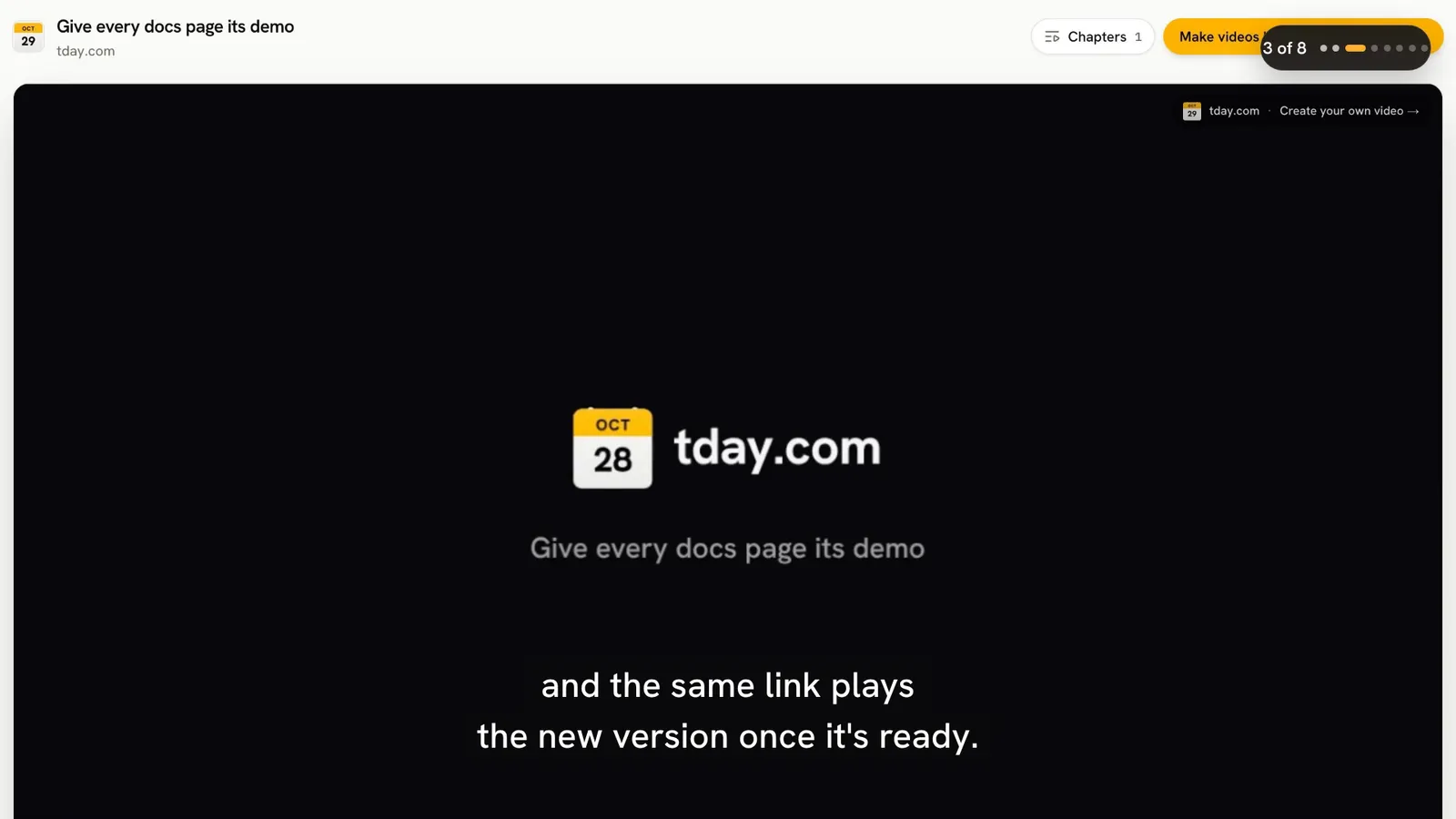
There are two ways to put a tday.com demo on a page. Where the page takes HTML, you paste an iframe of the demo's player. Where it does not, you paste the demo's share link. This guide covers both, and what decides who can watch.
Two links: the share page and the player
In the tday.com editor, choose Share link. tday.com makes a link like https://tday.com/ab12cd34 and copies it. That is the share page: it plays the demo with its chapters.
The player is the same link with /e/ before the id: https://tday.com/e/ab12cd34. It is the video alone, at 16:9, with no tday.com page around it. Links in it open in a new tab. This is the address you put in an iframe.
So the rule is short:
| Where it goes | What you paste |
|---|---|
| A page or CMS that takes raw HTML | The HTML iframe of the player |
| An .mdx docs page or a React page | The MDX iframe of the player |
| GitBook | An embed block of the share link |
| Notion or Confluence | The share link |
One link that follows every re-record
The share link and the player point at the demo, not at one version of it. When your coding agent records the demo again, the same link plays the new take once it is ready. While a new version renders, or if it fails, the link keeps playing the newest finished one.
A re-record keeps the demo's share link and its embeds. You do not paste anything again after the product changes. Every page you embedded it on picks up the new take.
One case waits for your team. A take recorded from a prompt you sent a developer is not shown until someone chooses Publish this take in the editor. Until then, the link keeps playing the published take.
The MDX and HTML forms
There are two forms of the same iframe. They differ only in how style is written.
The MDX form, for any .mdx page (Mintlify, Docusaurus, Nextra, Fern, ReadMe). A React or Next.js page (.jsx, .tsx) writes style as an object too, so it takes this form as well:
<iframe src="https://tday.com/e/ab12cd34" title="Invite your team" style={{ width: "100%", aspectRatio: "16 / 9", border: 0, borderRadius: 12 }} allow="autoplay; fullscreen; picture-in-picture" allowFullScreen loading="lazy" />
The HTML form, for a CMS or site builder that takes raw HTML, or a plain .html page:
<iframe src="https://tday.com/e/ab12cd34" title="Invite your team" style="width:100%;aspect-ratio:16/9;border:0;border-radius:12px" allow="autoplay; fullscreen; picture-in-picture" allowfullscreen loading="lazy"></iframe>
Why two? The MDX form writes style as an object. The HTML form sets style as a string, which breaks an MDX page when it renders. So never paste the HTML form into an .mdx file.
In both forms, leave out height. The frame takes its height from its width.
You do not have to write either one. When your first demo is ready, choose Get embed code. For a docs section, choose Copy embed on the Docs page, and pick the form your site needs.
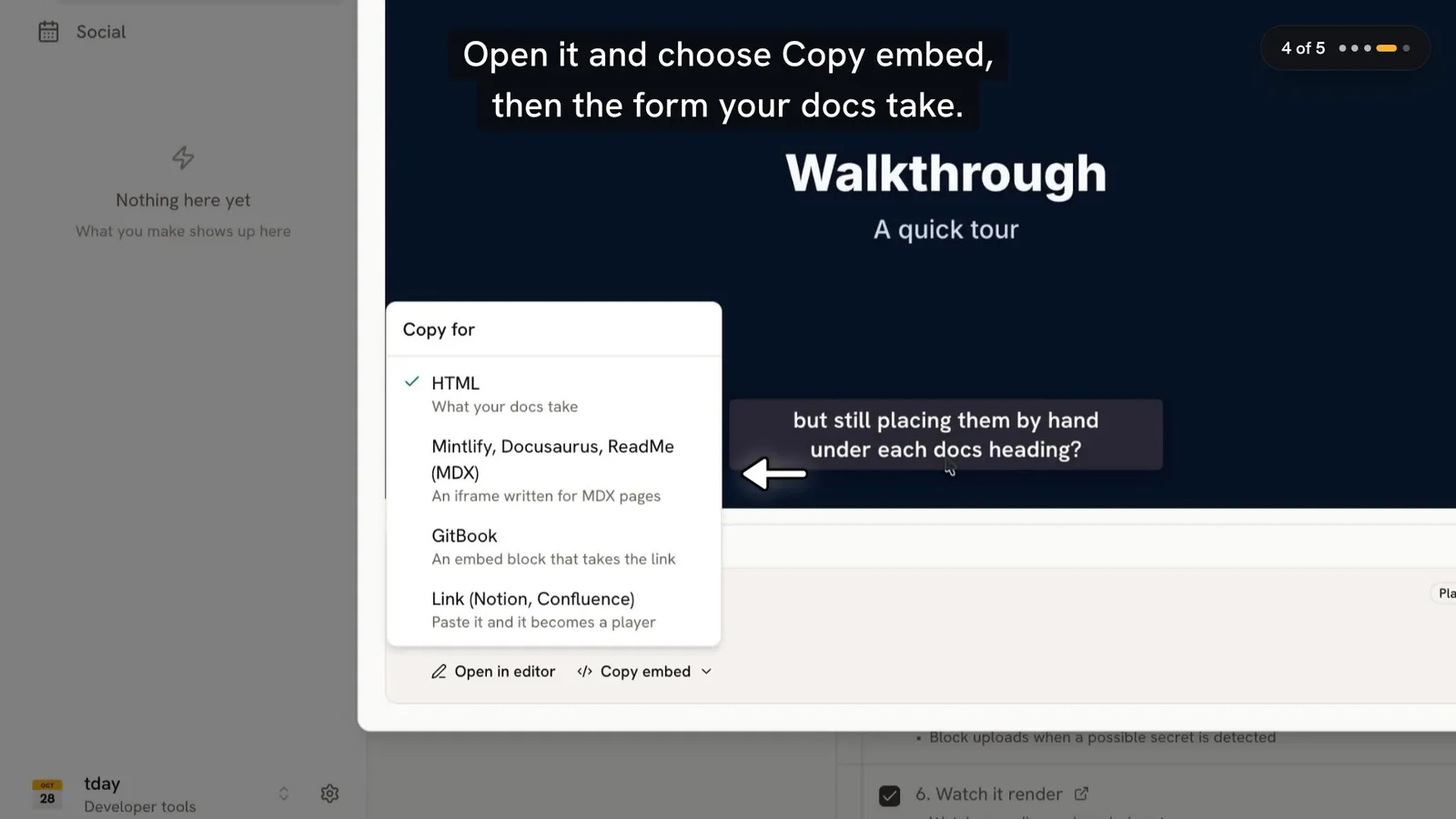
Copy embed adds ?c= to the player link, with the id of the section's first narrated line. The video then opens at that line. A page's first section plays from the start, title card and all. Because ?c= names a line and not a timestamp, it still opens at the right place after a re-record.
GitBook, Notion and Confluence
Some platforms take a link instead of HTML.
GitBook pages take no HTML. Add an embed block with the share link:
{% embed url="https://tday.com/ab12cd34" %}
Copy embed on the Docs page gives this form too.
Notion and Confluence: paste the share link on its own.
Know what to expect. These three show a tday.com link as a link card for now, not a player. The card opens the share page, which plays the demo. If the video must play inside the page itself, use a website or an .mdx page with the iframe.
oEmbed, for tools that build their own embeds
tday.com links answer oEmbed. The endpoint is:
https://tday.com/api/oembed?url=<share link>&format=json
The player link works there too. Every share page also names the endpoint in a <link rel="alternate" type="application/json+oembed"> tag, so a tool can find it.
The answer is a video. Its html frames the player, with width, height and the poster as thumbnail_url. It keeps to maxwidth and maxheight at 16:9, and a link's ?c= carries through. It answers in JSON only. A private link, or one whose demo is in Trash, answers 404.
Who can watch
The Share link menu sets who can watch.
- Public: anyone with the link. Every new link starts public.
- Private: only your team, signed in. Anyone else, and every embed, sees "This video is private."
Making a link private is on Pro and above. A link that is already private stays private on any plan, and you can always make it public again. The address never changes, so a video made public again plays again everywhere it is embedded.
On the Free plan, a shared demo's page, and so every embed, carries the tday.com badge and a link to make videos like it. On Pro, Growth and above, there is no badge.
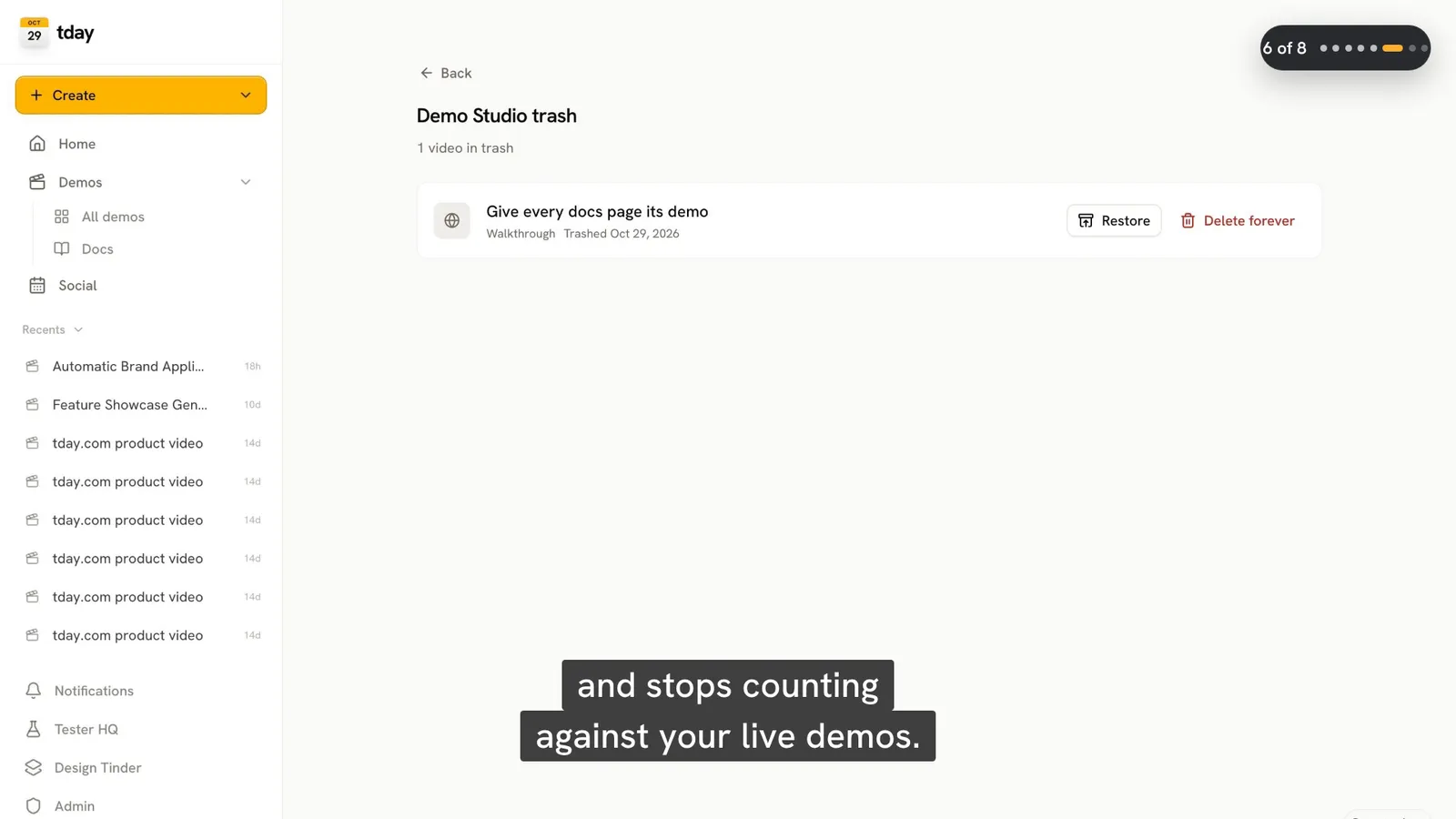
Deleting a demo moves it to Trash. A demo in Trash stops playing: its link and its embeds answer as gone. Restore it from Trash in the Studio to bring them back. That needs a free saved-demo slot on your plan.
Where to go next
If the page is part of your docs, read the general guide to adding demo videos to your docs. For Mintlify and GitBook in particular, including a pull request or change request that places every demo for you, see demo videos in Mintlify and GitBook docs.
Frequently asked questions
How do I embed a tday.com demo video on my website?
Paste an iframe of the demo's player, the share link with /e/ before the id, like https://tday.com/e/ab12cd34. Use the HTML form where a page takes raw HTML, and the MDX form in an .mdx page or a React page. Leave out height: the frame takes its height from its width.
Can I embed a demo video in Notion or Confluence?
Paste the share link. Notion and Confluence show a tday.com link as a link card for now, not a player. The card opens the share page, which plays the demo.
Why does the HTML iframe break my MDX page?
The HTML form sets style as a string, which breaks an MDX page when it renders. The MDX form writes style as an object. Use the MDX form in any .mdx page, such as Mintlify, Docusaurus, Nextra, Fern or ReadMe.
Do I need to update the embed when I re-record the demo?
No. The share link and the player point at the demo, not one version of it. A re-record keeps the share link and embeds, and they play the new take once it is ready.
Can I stop an embedded demo from playing?
Yes. Make the link private, on Pro and above, and every embed shows This video is private. Or move the demo to Trash, and its link and embeds answer as gone until you restore it.
Sources
- Share and embed, tday.com docs
- Record, re-record and edit, tday.com docs
Have your coding agent record your first demo
One prompt in Claude Code, Cursor or Codex records a narrated demo of your app. tday.com voices, styles and renders it, ready for your docs. Free includes 5 saved demos.