How to record a narrated demo video of an iPhone or Android app
How your coding agent records a narrated demo of an iPhone or Android app with tday: in a simulator or emulator, or on a real iPhone on a cable.
By the tday team Published 9 min read
The short answer
Add tday's MCP server to your coding agent and ask it to record a demo of your phone app. The agent builds the app from your repo and films it in an iOS Simulator (on a Mac, with Xcode and AXe) or on an Android emulator (with the Android SDK). By default it makes a fresh simulator or emulator for the take and deletes it afterwards. It records one narrated line at a time, and tday voices the lines and renders the video.
Key takeaways
- An iPhone demo needs a Mac with Xcode, an iOS Simulator runtime and AXe. An Android demo needs the Android SDK with platform-tools, the emulator and a system image.
- By default the simulator or emulator is made for the take and deleted after it, so the demo starts from a clean device.
- Your agent can film a device of yours instead: a copy of a simulator, an emulator booted read-only, or, with your OK, your own device as it is.
- Two protections that web demos have do not cover phone apps: the window guard on outgoing requests, and swapping your name and email on screen. Sign in as a demo user with demo data.
- Your agent can also film a real iPhone plugged into your Mac with a cable. That needs Xcode 15 or later signed in to an Apple developer account, and your OK.
A demo of a phone app usually means a screen recording of a simulator, a script you read into a microphone, and an afternoon in a video editor. Then the app changes and you do it again.
tday moves that work to your coding agent. The agent builds your app, drives it in a simulator or emulator on your machine, and writes one narrated line for each thing it does. tday voices the lines and renders the video. This guide covers what you install, where the app runs, and what a phone demo cannot do.
What you need installed
Every tday demo needs a coding agent that supports MCP (Claude Code, Cursor, Codex or another MCP client), Node.js 18.17 or later, and ffmpeg on your PATH. A phone app adds the tools for its platform:
| Your app | Install once |
|---|---|
| iPhone app | A Mac with Xcode and an iOS Simulator runtime, and AXe |
| Android app | The Android SDK with platform-tools, the emulator and a system image |
For an iPhone app, open Xcode once and tick iOS to get a simulator runtime, then install AXe with brew install cameroncooke/axe/axe.
For an Android app, Android Studio installs all three parts. Add a system image in its SDK Manager. The command-line tools and sdkmanager work too. A phone or emulator you already run needs only platform-tools. Set ANDROID_HOME when the SDK is not where Android Studio puts it.
tday's installer does not install any of these for you. You also do not have to check the list by hand. Before it starts anything, your agent runs a read-only safety check, demo_check, with the kind of demo it is about to record. For an iPhone app the check looks for Xcode with a simulator runtime and AXe. For an Android app it looks for the SDK, its emulator and a system image. It tells you what is missing, with the command to install it.
A fresh simulator or emulator for each take
Your agent builds the app from your repo. For an iPhone app that is a simulator build. For an Android app it is a debug APK. Then it needs a device to install it on, and there are three choices on each platform:
| Device | What happens to it |
|---|---|
| A new iOS Simulator (the default) | Made for the take and deleted after it |
| A copy of one of your simulators | Copied while it is shut down, and the copy is deleted after the take |
| One of your own simulators, as it is | Filmed with its data, only with your OK |
| A real iPhone on a cable | Filmed with its data, only with your OK. A helper app is put on it for the take and removed at the end |
| A new Android emulator (the default) | Made for the take and deleted after it |
| One of your emulators, booted read-only | The take's changes are thrown away |
| Your own Android device, as it is | Filmed with its data, only with your OK |
The default is the one to use unless you have a reason not to. A device made for the take has none of your accounts, photos or notifications on it, so none of them can end up in the video.
Ask your agent for the demo
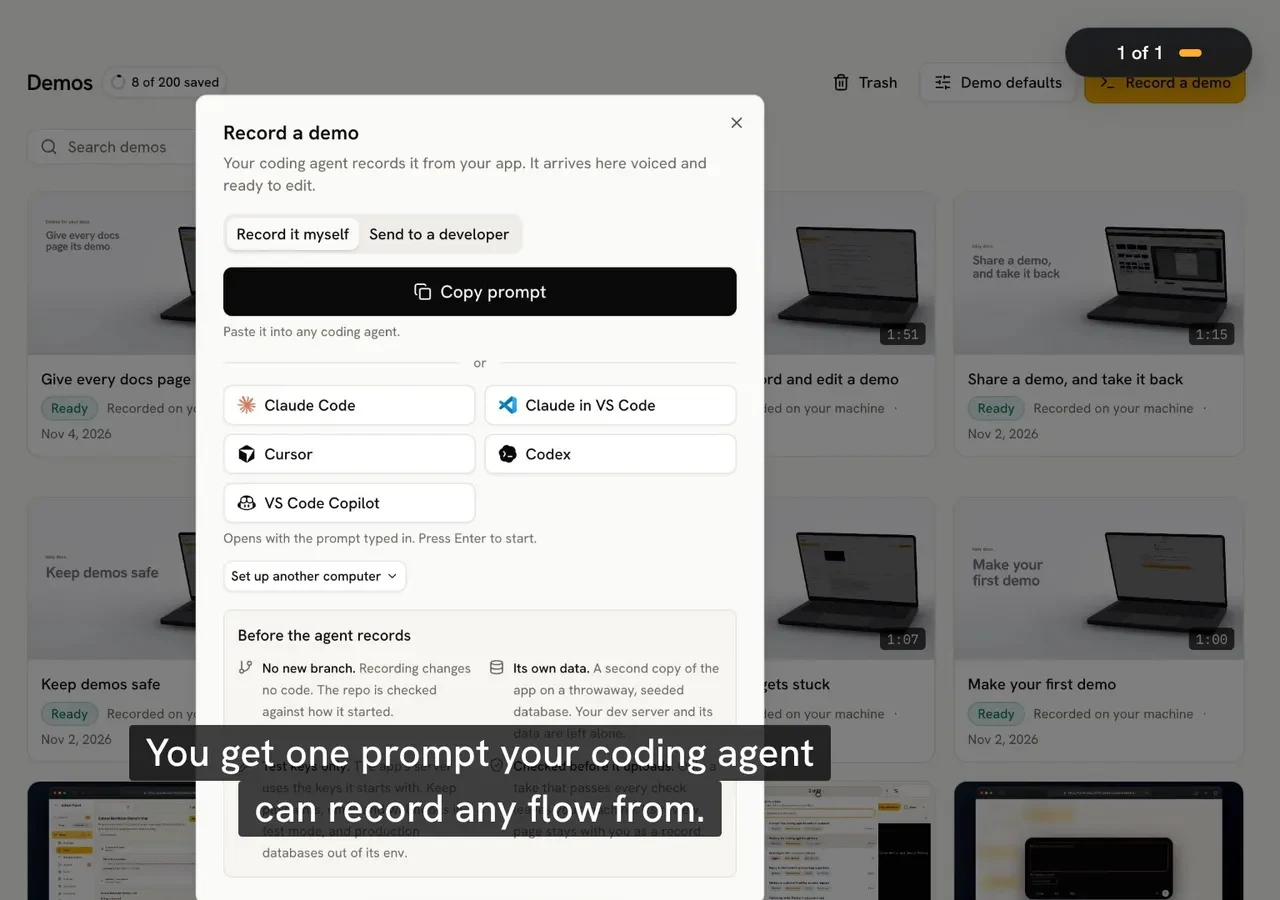
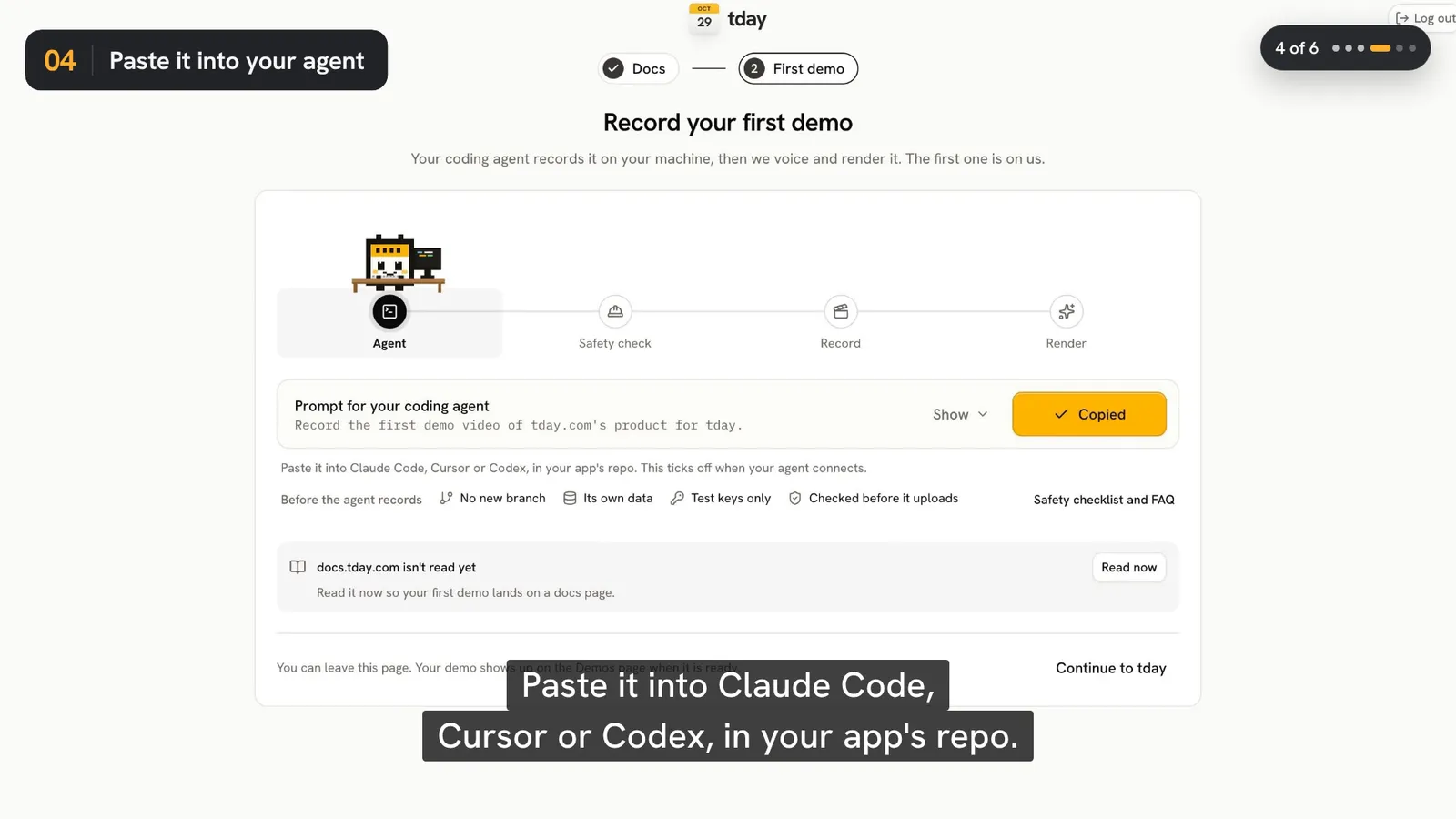
Connect tday once. In tday, Record a demo on the Demos page gives you a prompt with one install line, which adds the tday MCP server to your coding agent. The full setup is in how to record a product demo with your coding agent. After that, the ask is one sentence:
Use tday to record a demo of <a feature or docs section>
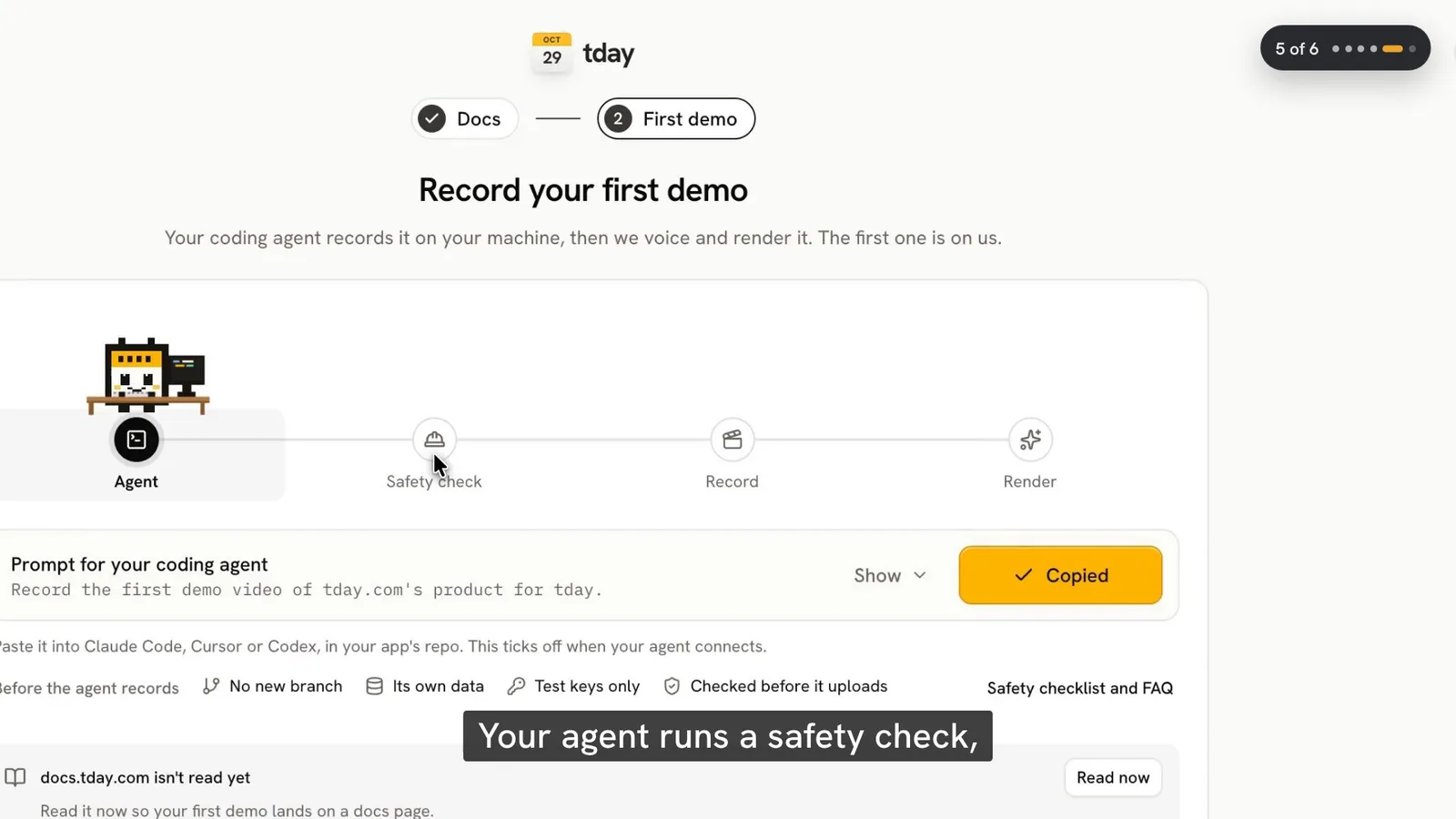
Your agent reads tday's demo guide, runs the safety check and tells you its plan. Keep its approval prompts on for the first run, so you see each command before it runs. To watch the take as it is recorded, ask the agent to record with the window showing: Simulator.app for an iPhone app, the emulator's window for an Android app.
How the agent drives a phone app
A take is a list of beats. Each beat is one line to say and the steps that line covers. Anything between beats is cut, so the agent's thinking time never shows. A beat whose step fails is not kept, and the agent records it again.
On a phone, a step is one of these:
| Step | What it does |
|---|---|
open | Opens a deep link |
click | A tap. Held for 300 ms or more, a long press |
type | Types text |
press | Presses a key |
scroll | A swipe |
drag | Drags from one element to another |
wait | Waits |
The agent finds each control through the app's accessibility tree: its role, its name or its visible text. It can also use an accessibility identifier, which on Android is a resource id. For a canvas with nothing to target, it can name a point on the screen.
That has one practical consequence. An app whose buttons have accessibility labels is easier for the agent to drive, and for the people who rely on those labels too.
What is different from a web demo
Two protections that tday gives a web demo do not reach a phone app. Plan for both.
The window guard. While a web or Electron demo records, requests from the app's window that would change something off your machine are blocked and counted. A phone app has no such guard. To let the app use the network at all, your agent passes unguardedNetwork: true, which is your OK, so it asks you first. Point the app at a backend made for demos, and give that backend's server test keys for payments, email and anything else it calls.
The demo persona. In a web app, an Electron app or a terminal, your git name, email, user name and machine name are swapped for a made-up persona on screen. Text in a phone app cannot be swapped. So the agent signs in as a demo user with demo data instead. The review still flags your name or email if it can be read in the take.
The rest is the same as any tday demo. Sign-in happens off camera, and the agent types secrets as $env:NAME, so the value is never recorded. Anything that looks like a secret, in a line or on screen, blocks the upload until it is fixed. Only the take, a poster frame and a manifest of its narration, steps and checks leave your machine, never source code. For a phone app the manifest also names the phone it was filmed on. More on this in is it safe to let a coding agent record your app.
What tday adds after the upload
tday voices each line, adds the cursor, camera, captions, title and end cards and music, and renders an editable demo on your Demos page. A phone app gets one extra: give the agent your App Store and Google Play links, and the end card shows each store's badge.
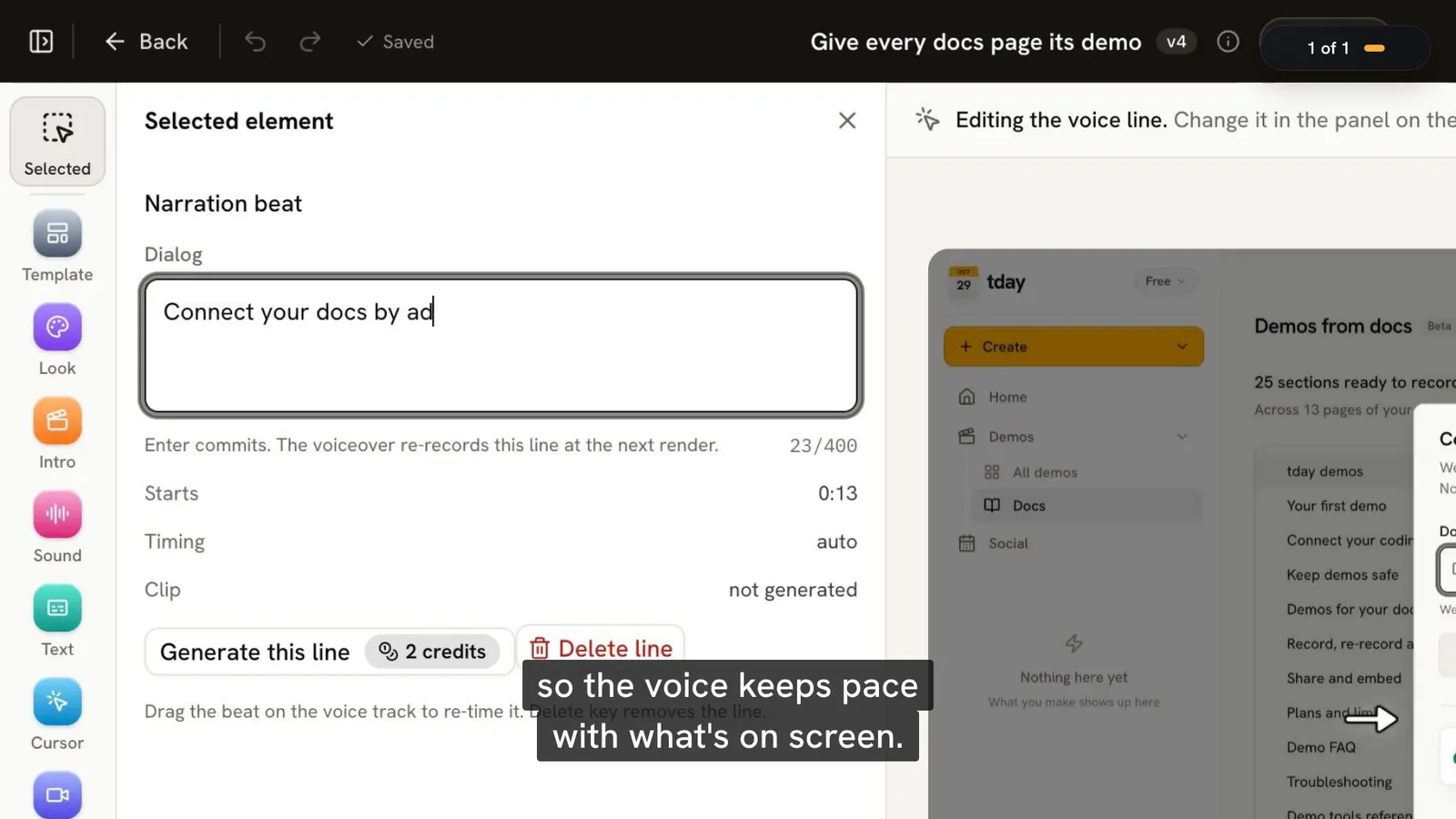
Every demo opens in tday's editor. Click a line on the voice row, change what it says, and choose Regenerate this line. If the screens are wrong, ask your agent to record again. The new take becomes a new version of the same demo, so its share link and embeds keep working.
What a phone demo cannot do
- Film an iPhone over Wi-Fi, or in someone's hand. A real iPhone has to be plugged into your Mac with a cable, unlocked, with Developer Mode on, and Xcode has to be signed in to an Apple developer account (a free one works). The video shows the phone's screen, not the phone being held.
- Be clicked through. A tday demo is a video. If you want a tour that viewers tap through themselves, you need a different kind of tool.
- Record itself. tday does not record when code is pushed or merged. Someone asks the agent. On Pro and above, a Needs update tab lists demos that a merged pull request may have put out of date, and you record those again.
- Run long. One take holds up to 40 narrated lines and 10 minutes, and one line up to 400 characters.
What it costs
Every plan records the same kinds of app, iPhone and Android included. Recording and rendering use no credits. The voiceover spends your plan's monthly credits: 10 a minute, charged by the second. The free plan has 5 saved demos and 100 credits a month. The limits of phone demos are on one page, and every plan is on pricing.
Frequently asked questions
Do I need a Mac to record an iPhone app demo?
Yes. tday films an iPhone app in an iOS Simulator, which needs a Mac with Xcode and an iOS Simulator runtime, plus AXe (brew install cameroncooke/axe/axe). Your agent's safety check tells you if any of them is missing.
Can tday record a demo on a real phone?
Yes, both. For Android, your agent can film a device you already run as it is, data included, with your OK, and a phone or emulator you already run needs only platform-tools. For iPhone, plug the phone into your Mac with a cable, unlock it and turn on Developer Mode; you need Xcode 15 or later signed in to an Apple developer account. Your agent puts a small helper app on the phone, signed by your own team, and removes it when the demo finishes.
Does the demo use my own simulator and its data?
Not by default. The agent makes a new simulator or emulator for the take and deletes it afterwards. It can instead film a copy of one of your simulators, or boot one of your Android emulators read-only. It films your own device as it is, data included, only with your OK.
Will my name or email show up in a phone app demo?
Text in an iPhone or Android app cannot be swapped on screen the way it is in a web demo, so your agent signs in as a demo user with demo data. The review flags your name or email if it can still be read in the take.
Can the end of the video link to the App Store or Google Play?
Yes. Your agent can pass your App Store and Google Play links when it starts the demo, and the end card shows each store's badge.
Sources
- tday demos, tday docs
- Your first demo, tday docs
- Keep demos safe, tday docs
- Demo tools reference, tday docs
- Demo FAQ, tday docs
- Plans and limits, tday docs
Have your coding agent record your first demo
One prompt in Claude Code, Cursor or Codex records a narrated demo of your app. tday voices, styles and renders it, ready for your docs. Free includes 5 saved demos.