How to get a narrated product demo without recording your own voice
Your coding agent writes each line of the demo's narration and tday voices it. How to edit a line, what the voiceover costs, and what happens with no credits.
By the tday team Published 7 min read
The short answer
Have your coding agent record the demo with tday. The agent writes one narrated line for each thing it does in your app, and tday voices every line exactly as written, so nobody speaks into a microphone. To change the words later, edit the line in tday's editor and choose Regenerate this line. The voiceover costs 10 credits a minute, charged by the second. With no credits left, the demo is still made, with step notes in place of the voice.
Key takeaways
- The script is written by your coding agent as it records: one line per beat, up to 400 characters, with the clicks and typing that line covers.
- tday voices each line exactly as written. A separate caption can show different text, such as /approve for a line that says "slash approve".
- To fix the words, edit the line in tday's editor and choose Regenerate this line. Only that line is voiced again, and it makes no new version.
- Voice costs 10 credits a minute, by the second. Recording and rendering cost none. The free plan's 100 credits a month are 10 minutes of voice.
- Out of credits, tday still makes the demo and shows short step notes instead of the spoken lines. Generate voiceover adds the voice later.
Narration is the part of a demo video people put off. You write a script, read it aloud, hear yourself, and read it again. Then the product changes, one sentence is wrong, and the whole track has to match a new recording.
There is a way to skip the microphone. If your coding agent records the demo with tday, the agent writes the words and tday voices them. This guide covers how the lines get written, how to change one, what the voice costs and when this is the wrong approach.
Who writes the words
Your coding agent does, while it records. A tday take is made of beats. Each beat is one line to say, plus the clicks and typing that line covers. So the script is never a separate document that has to be lined up with the footage later. Each line is recorded with the action it describes.
The agent does not write blind:
- Before it starts, it reads tday's guide to recording a demo and writing its voiceover (
demo_guide). - After each beat, tday answers with notes on the wording of that line.
- At the review, the whole script is sent once more for notes.
Those lines are sent to tday for the notes and are not stored. A line that looks like it holds a secret is not sent at all, and a possible secret in a line blocks the upload until the agent records that line again.
You can steer it like any other work your agent does. Tell it who the video is for and what to leave out before it records. The first setup is in how to record a product demo with your coding agent.
How a line becomes voice
When the take uploads, tday voices each line and renders the video with the cursor, camera, captions, cards and music. Three details decide how it sounds:
| Detail | What it means |
|---|---|
| Voiced as written | The line in say is spoken exactly as the agent wrote it |
| Caption | A line can carry different text for its caption, such as /approve for a line that says "slash approve" |
| Timing | The footage holds until the line has had time to be said, and anything between beats is cut |
The timing row is why the video does not feel rushed or padded. The picture waits for the sentence, and the agent's thinking time between lines never shows.
Change a line without recording again
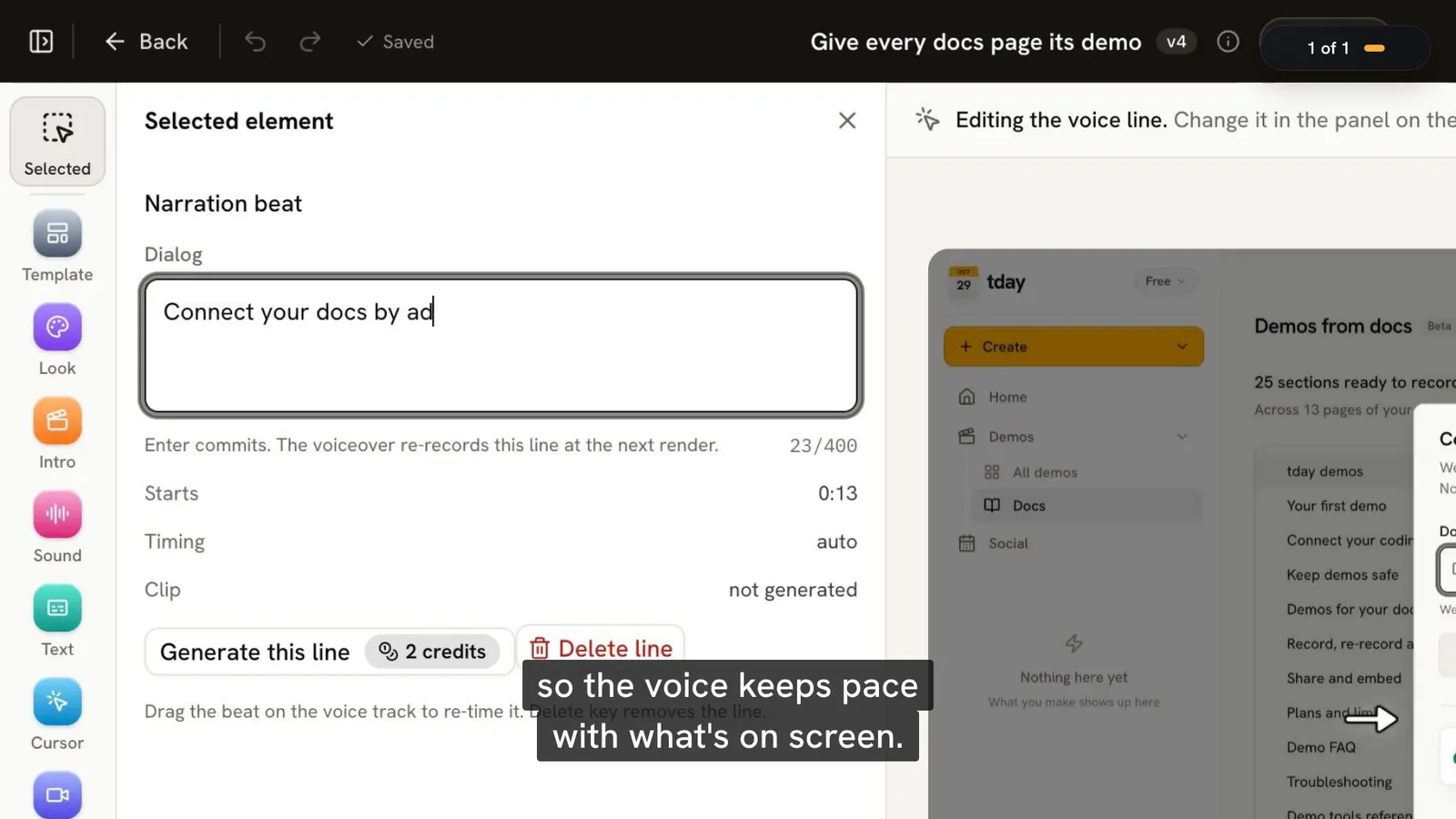
Every demo opens in tday's editor, from the Demos page. The voice has its own row on the timeline. Click a line on it, change what it says, and choose Regenerate this line. Only that line is voiced again.
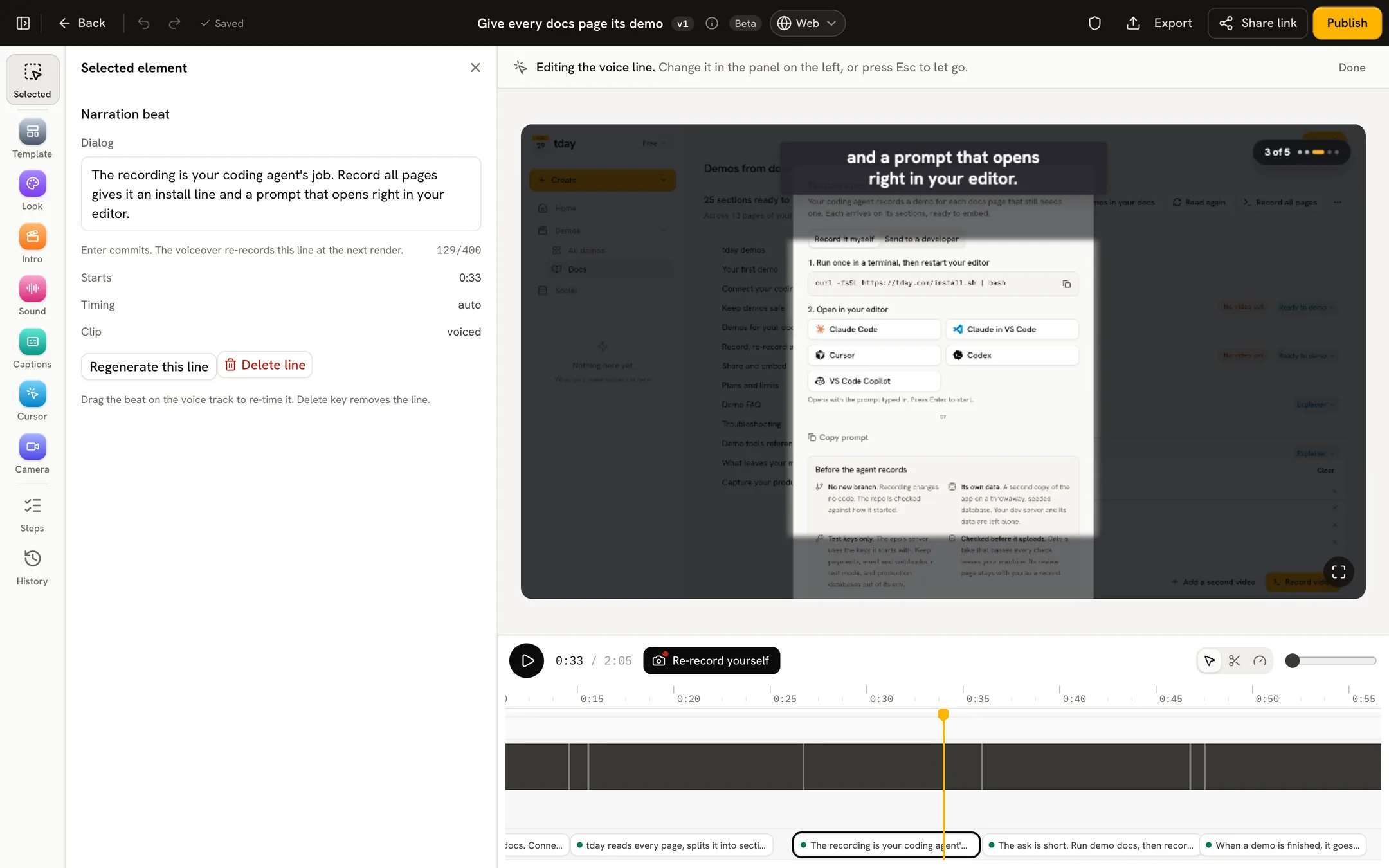
The rule for which fix to use:
| What is wrong | What to do |
|---|---|
| The words | Edit the line and regenerate it |
| The style, captions or cards | Change them in the editor and render a new cut |
| The screens | Ask your agent to record the demo again |
A re-record becomes a new version of the same demo, so its share link and embeds keep working. That matters when the product changes, which is covered in how to keep demo videos up to date.
Demo defaults, on the Demos page, sets how every new demo looks and sounds, so you choose once and not per video.
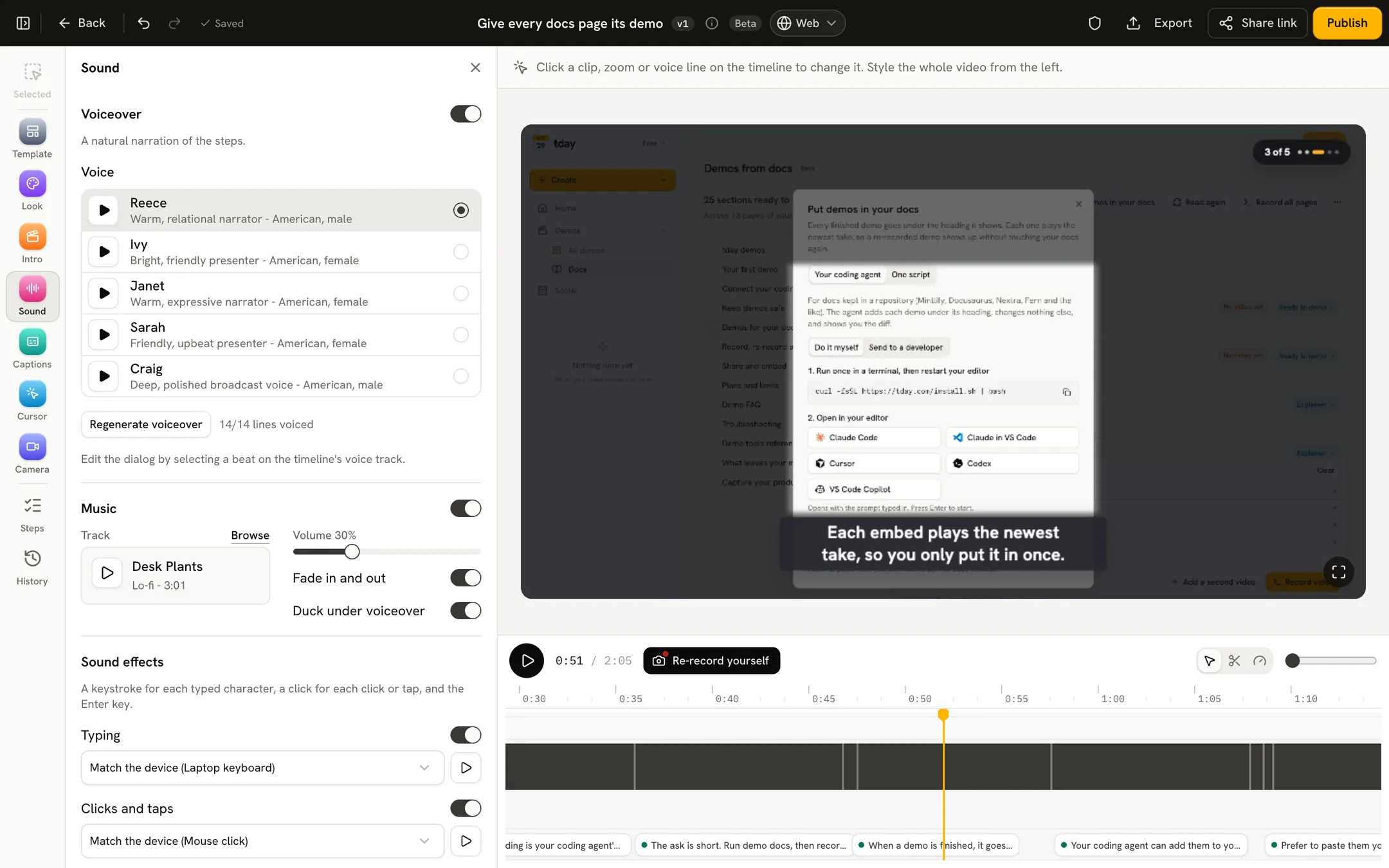
What the voiceover costs
Recording and rendering a demo use no credits. The voice is the part that does: every line tday voices spends your plan's monthly credits, 10 a minute, charged by the second.
| Plan | Price | Credits a month | Voice that buys |
|---|---|---|---|
| Free | $0 | 100 | 10 minutes |
| Pro | $39 a month | 500 | 50 minutes |
| Growth | $149 a month | 2,000 | 200 minutes |
Voice is charged each time a line is voiced:
- on a demo's first render;
- on a new cut from the editor;
- with Regenerate this line, which makes no new version.
Credits refresh every month, on the day you signed up or on your billing date on a paid plan. Unused credits do not roll over. Current prices are on pricing.
What happens when credits run out
The demo is still made. It just has no voice.
Your agent finds out early. demo_guide says how many minutes of voiceover your credits buy before recording starts. On the beat whose lines need more voice than your credits buy, demo_beat says so, and your agent tells you then, not after the upload.
If you carry on, tday renders the demo without a voiceover and shows short step notes in place of the spoken lines. Step notes can be shown as a card, a callout or a bar. Once you have credits again, open the demo in tday and press Generate voiceover.
So running out of credits costs you the voice for a while, never the recording.
Limits on the narration
| Limit of one take | Value |
|---|---|
| Narrated lines | 40 |
| One line | 400 characters |
| Length | 10 minutes |
A short line is easier to listen to than a long one, so the 400 characters are a ceiling, not a target.
When this is the wrong approach
Say it plainly: this gives you a voiced video of your app in use, with words written by an agent and edited by you. That fits docs, feature walkthroughs and how-to videos. It fits some other jobs badly.
- You want your own voice. By default tday voices the lines. tday's home page describes one other way: tday writes the script, you read it off a teleprompter on camera, and your voice takes over the lines. If hearing you is the whole point, as in a founder's update or a personal message to a customer, a plain recording of yourself may be simpler.
- You want viewers to click through. A tday demo is a video, not an interactive tour.
- You want it to happen without anyone asking. tday does not record when code is pushed or merged. Someone asks the agent, and someone decides the line is right.
- You have no coding agent on the repo. The lines come from an agent recording the running app. On Enterprise, the docs say tday can also record your demos in the cloud, with no coding agent on your machine.
The limits of a coding agent demo are on one page.
Frequently asked questions
Do I have to write the script for the voiceover?
No. Your coding agent writes one narrated line for each beat as it records, using tday's guide and tday's notes on each line's wording. You can tell the agent what to say beforehand, and edit any line in tday's editor afterwards.
Can I change one sentence of the voiceover after the demo is made?
Yes. Open the demo in tday's editor, click the line on the voice row, change what it says and choose Regenerate this line. Only that line is voiced again. It spends credits for that line and makes no new version.
How much does the voiceover cost?
10 credits a minute, charged by the second. Recording and rendering a demo use no credits. The Free plan has 100 credits a month, Pro 500 and Growth 2,000, which is 10, 50 and 200 minutes of voice. Unused credits do not roll over.
What happens if I run out of credits?
tday still makes the demo, without a voiceover, and shows short step notes in place of the spoken lines. Your agent tells you as soon as a demo's lines need more voice than your credits buy. Once you have credits again, open the demo and press Generate voiceover.
Can I use my own recorded voice instead?
By default tday voices each line the agent writes. tday's home page describes recording yourself instead: tday writes the script, you read it off a teleprompter on camera, your take lands in the corner of the demo and your voice takes over the lines.
Sources
- tday home page, tday
- Record, re-record and edit, tday docs
- Plans and limits, tday docs
- Demo tools reference, tday docs
- Demo FAQ, tday docs
- tday demos, tday docs
Have your coding agent record your first demo
One prompt in Claude Code, Cursor or Codex records a narrated demo of your app. tday voices, styles and renders it, ready for your docs. Free includes 5 saved demos.