Loom vs Screen Studio: fast or polished?
Loom gets a link to a teammate in seconds. Screen Studio makes a recording look produced. Platforms, features and prices compared as of November 10, 2026.
By the tday team Published 5 min read
The short answer
Pick Loom for speed and Screen Studio for polish. Loom records your screen and camera and hands you a link the moment you stop, on Mac, Windows, Chrome and phones. Screen Studio is Mac only and makes the recording look produced, with automatic zooms, a smoothed cursor and motion blur. As of November 2026, Loom is free for 25 five-minute videos and $18 per user a month on Business. Screen Studio is $29 a month or $108 a year, and has no free export.
Key takeaways
- Loom is built for the time between deciding to record and having a link. Screen Studio is built for how the result looks.
- Screen Studio zooms in on your clicks automatically. Loom lists automatic zoom as coming soon.
- Loom runs on Mac, Windows, Chrome, iOS and Android. Screen Studio runs on Mac only, with no near-future plans for Windows.
- For one person, Screen Studio is cheaper by the year ($108 against $180) and Loom is cheaper by the month ($18 against $29).
- Loom has a free plan. Screen Studio lets you record and edit for free, but not export.
Accurate as of . Every fact about Loom and Screen Studio was read from their own websites that day, and each page is listed under Sources. Prices and plans change, so check the vendor's page before you buy. tday publishes this blog. Neither product here is ours.
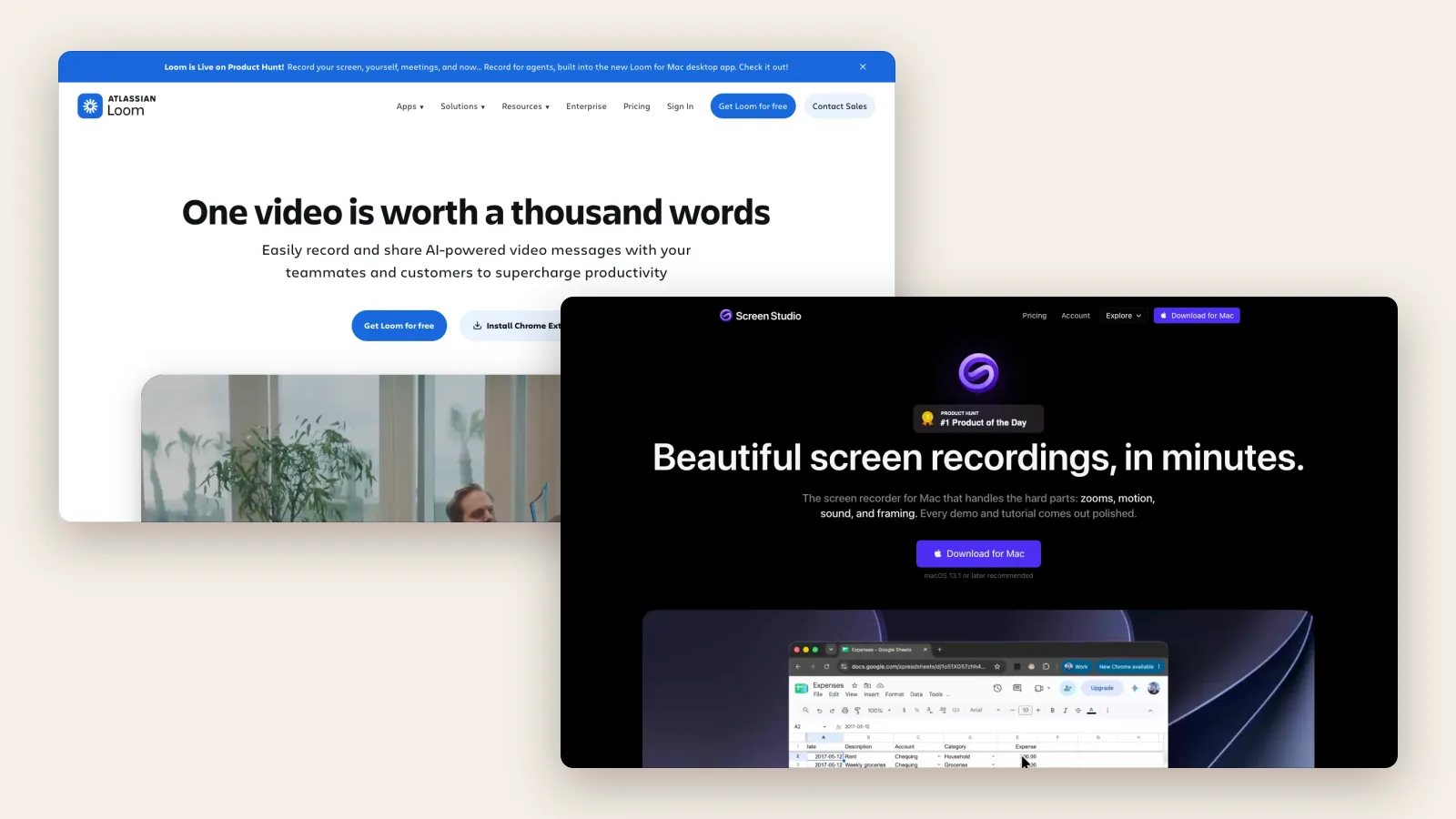
People compare Loom and Screen Studio because both record a screen. But they were built to remove different kinds of friction.
Loom removes the friction of sending. You stop recording and you have a link. Screen Studio removes the friction of editing. You stop recording and the video already looks edited. Which friction costs you more depends on who is going to watch.
Loom vs Screen Studio at a glance
| Loom | Screen Studio | |
|---|---|---|
| Best for | Quick videos for people you work with | Polished demos and tutorials for an audience |
| Runs on | Mac, Windows, Chrome, iOS and Android | Mac only, macOS 13.1 or later |
| Automatic zoom | Listed as coming soon | Yes, on your clicks |
| Cursor | Click highlights in the desktop app, on paid plans | Smoothed and resizable, with motion blur |
| Editing | Trim and stitch on paid plans. Edit by transcript on Business + AI | Trim, cut, speed up, edit by transcript, mask private details |
| Export | MP4 on paid plans, recorded at up to 4K. No downloads on the free plan | MP4 up to 4K at 60 fps, GIF and ProRes |
| Sharing | An instant link, with comments, reactions and viewer insights | Links at 1080p for videos up to 30 minutes, with timestamped feedback and view counts |
| AI | Titles on every plan. Summaries, chapters and workflows on Business + AI | An AI voice from a typed script. Captions transcribed on your Mac |
| Free plan | 25 videos of up to 5 minutes each, at 720p | Free to record and edit; exporting a video needs a plan |
| Paid from | Business $18 per user a month, or $180 a year | $29 a month, or $108 a year ($9 a month) |


Where Loom is the better choice
Talking to your team. A bug report, a code review, a status update. Nobody needs motion blur on those. They need the link now.
Anyone not on a Mac. Loom has apps for Windows, iOS and Android and an extension for Chrome. Screen Studio's FAQ on Windows is short: "No, and there are no near-future plans to add Windows support."
A whole company. Loom is an Atlassian product now. It plugs into Jira, Confluence, Slack and GitHub, and has SSO on Enterprise.
Turning talk into text. On Business + AI, Loom writes a summary and chapters, and can turn a recording into a bug report, an SOP or a pull request description.
Where Screen Studio is the better choice
Anything public. A launch video, a tutorial, a clip for social. Screen Studio's automatic zooms and steady cursor make a raw recording look edited.
Quality of the file. It exports MP4 up to 4K at 60 fps, GIFs, and ProRes for a real editor. Loom's paid plans record up to 4K and download MP4, but its free plan stops at 720p with no downloads.
Recording an iPhone or iPad. Plug it in over USB and pick it in the recording bar.
Fixing it after. Since version 4, in September 2026, you cut the video by deleting sentences from the transcript. You can cover an API key or an email after recording, which Loom cannot: its help center says "Information cannot be blurred after recording".
What each one costs
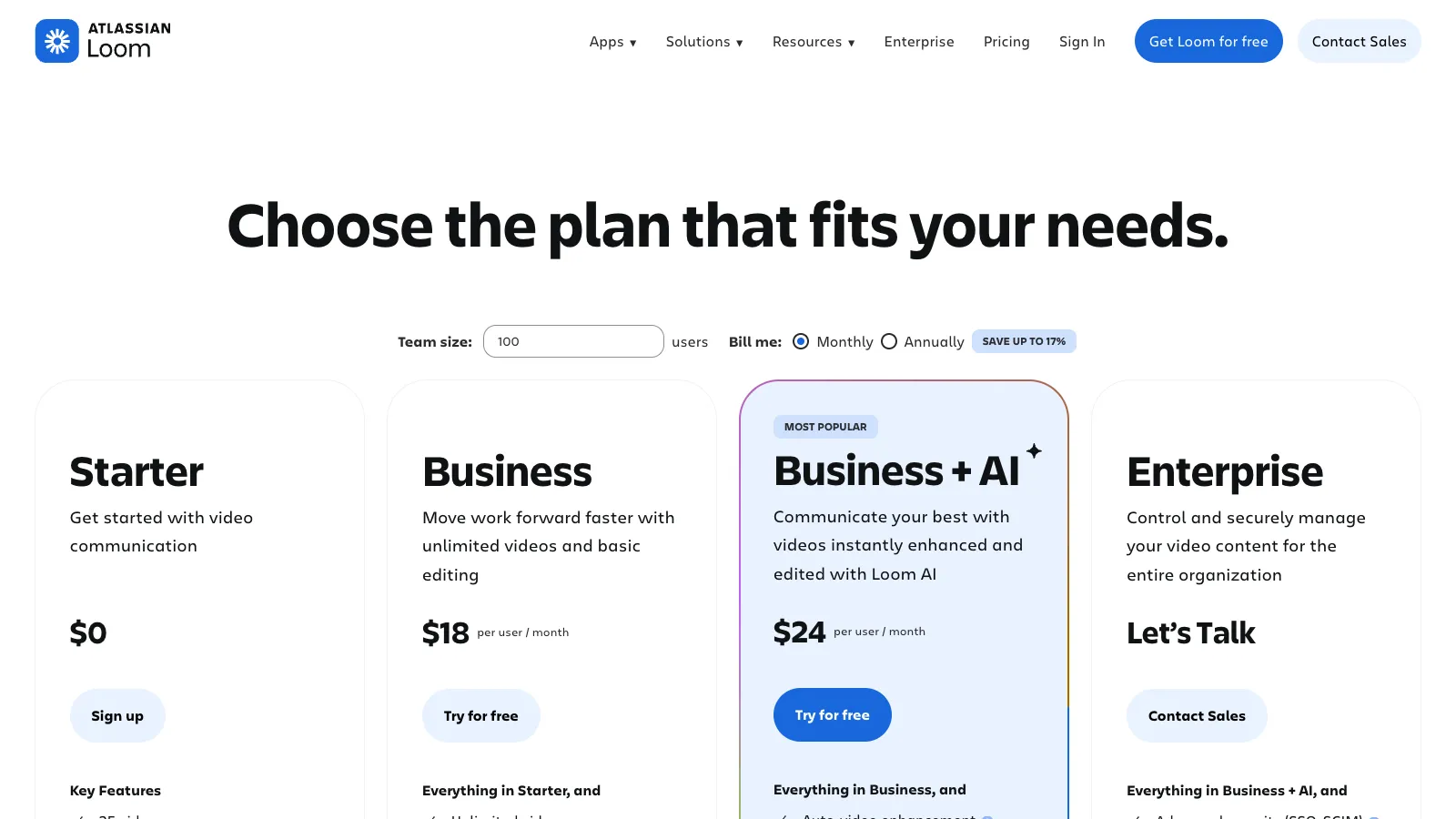
Loom charges per user. Starter is free for 25 videos of 5 minutes each. Business is $18 per user a month, or $180 a year for one user. Business + AI is $24 a month.
Screen Studio has one feature set at two prices: $29 a month, or $108 a year, which it shows as $9 a month. The one-time license it used to sell is "no longer available for new purchases". You can use every feature without a plan except exporting.
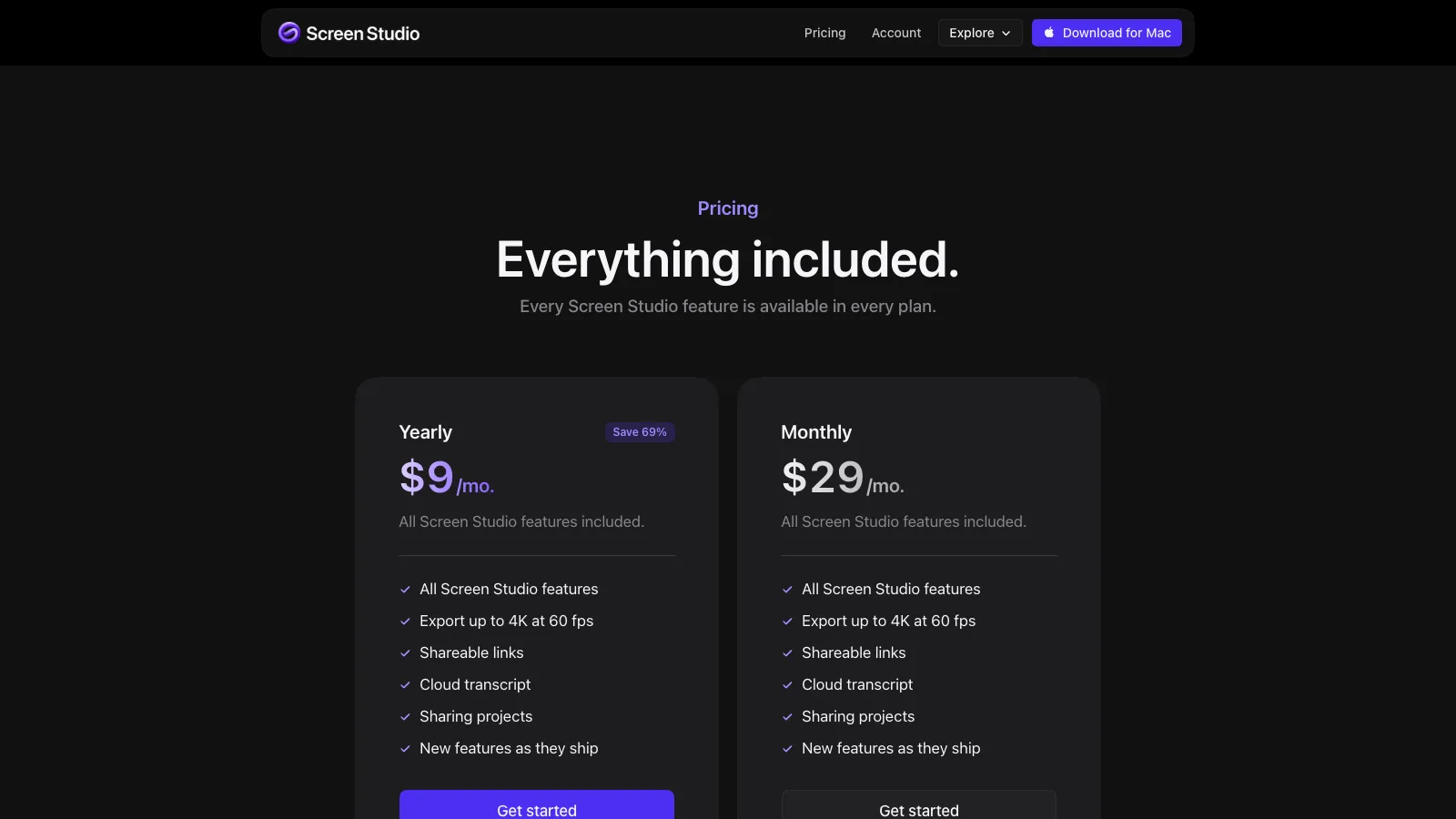
So the cheaper one depends on how you pay. By the year, Screen Studio. By the month, Loom. And if 25 short videos are enough, Loom is free.
Which should you pick
Ask who watches. If it is a colleague who will watch once and reply, use Loom. If it is a stranger deciding whether your product is any good, use Screen Studio.
Many people end up with both, and that is reasonable. They cost $47 a month together and do not overlap.
One thing neither does is keep a video current. When the product changes, you record again. If that is the part that hurts, it is the problem tday was built for: a coding agent records the demo, and records it again when you ask after a release.
Frequently asked questions
Is Screen Studio better than Loom?
For polished videos, yes: Screen Studio adds automatic zooms, a smoothed cursor and motion blur, which Loom does not have as of November 2026. For quick sharing with a team, Loom is better: it gives an instant link, works on Windows and phones, and has a free plan.
Does Loom have automatic zoom like Screen Studio?
Not yet. As of November 10, 2026 Atlassian's Loom editing page lists auto-zoom under new features coming soon. Loom's desktop app can highlight mouse clicks on paid plans.
Does Screen Studio work on Windows?
No. Screen Studio's site says it is made for Mac and nothing else, and that there are no near-future plans to add Windows support. Loom runs on both Mac and Windows.
Which is cheaper, Loom or Screen Studio?
As of November 10, 2026, Loom Business is $18 per user a month or $180 a year, and Screen Studio is $29 a month or $108 a year. So Loom is cheaper monthly and Screen Studio is cheaper yearly. Loom also has a free plan with 25 five-minute videos.
More comparisons
tday vs Loom
Loom records you explaining something. tday has your coding agent record the product. What each is for, its limits and its price, as of November 10, 2026.tday vs Screen Studio
Screen Studio polishes a recording you make on a Mac. tday has your coding agent make the recording. Features, limits and prices as of November 10, 2026.tday vs Tella
Tella is a studio for videos you present. Its agent films web apps on public domains. With tday, your coding agent films localhost too. November 10, 2026.tday vs Arcade
Arcade now sells AI video for marketing teams, with interactive demos priced separately. tday records your real app. What each costs as of November 10, 2026.tday vs Supademo
Supademo makes click-through demos from screenshots. tday makes narrated videos your coding agent records. Features and prices as of November 10, 2026.Screen Studio vs Tella
Screen Studio polishes one recording on a Mac. Tella builds a video from clips on Mac, Windows or the web, and hosts it. Compared as of November 10, 2026.Loom vs Tella
Loom is for quick videos to people you work with, and has a free plan. Tella is for videos you publish, with automatic zoom. Compared as of November 10, 2026.Arcade vs Supademo
Both sell interactive demos at $50 a seat. Arcade has since turned to AI video. Supademo gives more for free. Plans and limits as of November 10, 2026.Arcade vs Storylane
Arcade charges per seat and has turned to AI video. Storylane charges per plan and sells to sales teams. Prices and limits as of November 10, 2026.


Or see all of them at once: The best demo video tools for developer-led startups in 2026, compared.
Sources
- Loom pricing, Loom
- The Loom recording platforms, Atlassian
- Edit your Loom video, Atlassian
- Download your Loom video, Atlassian
- Blur sensitive information, Atlassian
- Use AI workflows, Atlassian
- Loom video editing, Atlassian
- Screen Studio: features, pricing and FAQ, Screen Studio
- Screen Studio system requirements, Screen Studio
- Screen Studio changelog, Screen Studio
- Screen Studio download, Screen Studio
Have your coding agent record your first demo
One prompt in Claude Code, Cursor or Codex records a narrated demo of your app. tday voices, styles and renders it, ready for your docs. Free includes 5 saved demos.