Screen Studio vs Tella: which screen recorder makes the better demo?
Screen Studio polishes one recording on a Mac. Tella builds a video from clips on Mac, Windows or the web, and hosts it. Compared as of November 10, 2026.
By the tday team Published 5 min read
The short answer
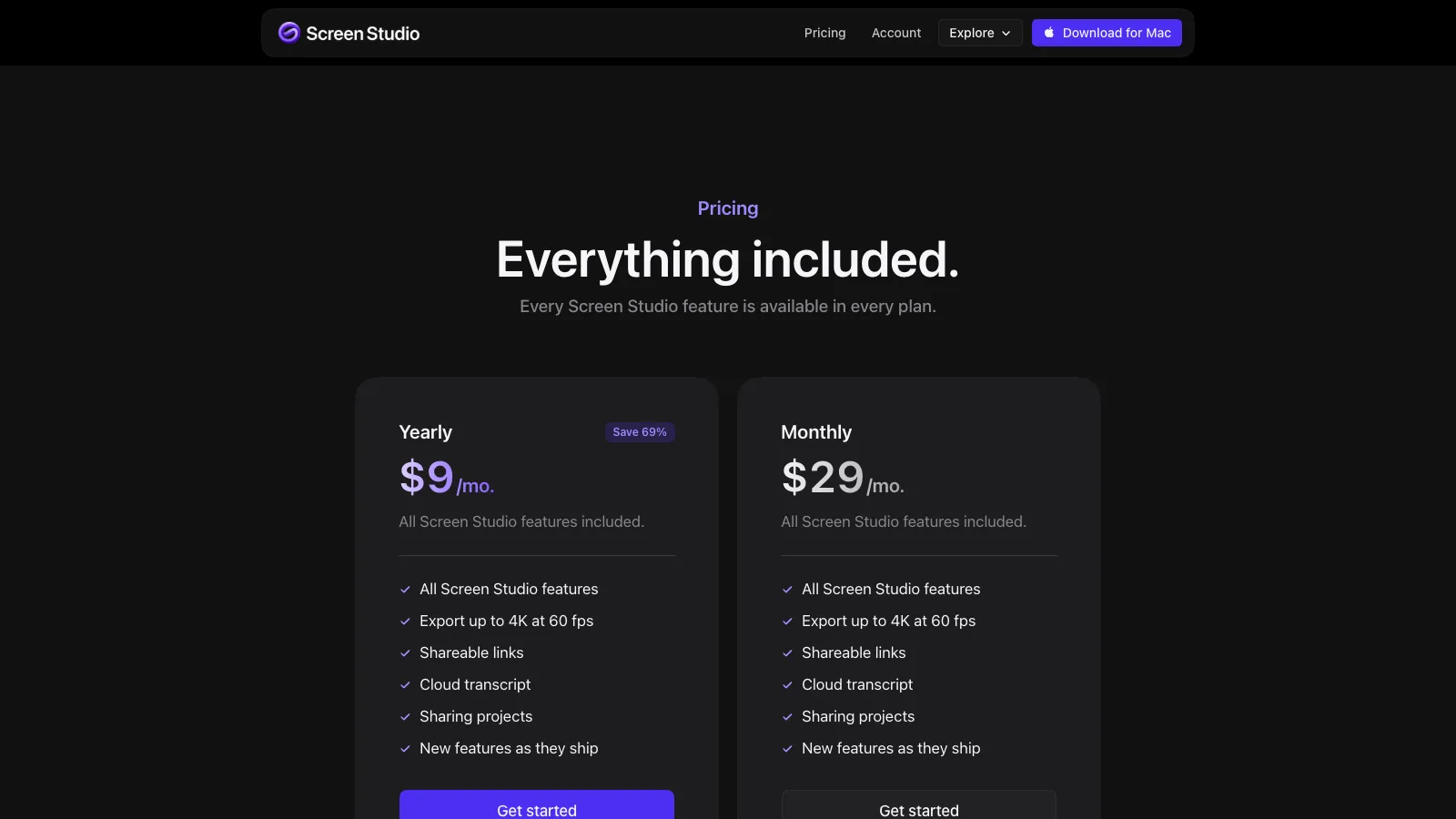
Both add automatic zooms and make a screen recording look produced. Screen Studio is a Mac app that perfects a single recording and exports a file, up to 4K at 60 fps. Tella runs in a browser, on Mac and on Windows, builds a video from clips with you on camera, and hosts it with analytics. As of November 2026, Screen Studio is $29 a month or $108 a year. Tella Pro is $26 per user a month, or $13 billed yearly. Neither has a free plan that exports.
Key takeaways
- Screen Studio is about motion: zooms, cursor, motion blur. Tella is about structure: clips, layouts, speaker notes.
- Screen Studio is Mac only. Tella has a web recorder, a Mac app, a Windows app in beta and a Chrome extension.
- Tella's automatic zoom works in its Mac and Windows apps and on Chrome tabs recorded with its extension, not in its web recorder. Screen Studio's works on any recording of your Mac's screen.
- Tella ships an API, webhooks and an MCP server on every plan. Screen Studio's MCP server is still on its roadmap.
- By the year, Screen Studio is cheaper for one person ($108 against $156). By the month they are close ($29 against $26).
Accurate as of . Every fact about Screen Studio and Tella was read from their own websites that day, and each page is listed under Sources. Prices and plans change, so check the vendor's page before you buy. tday publishes this blog. Neither product here is ours.
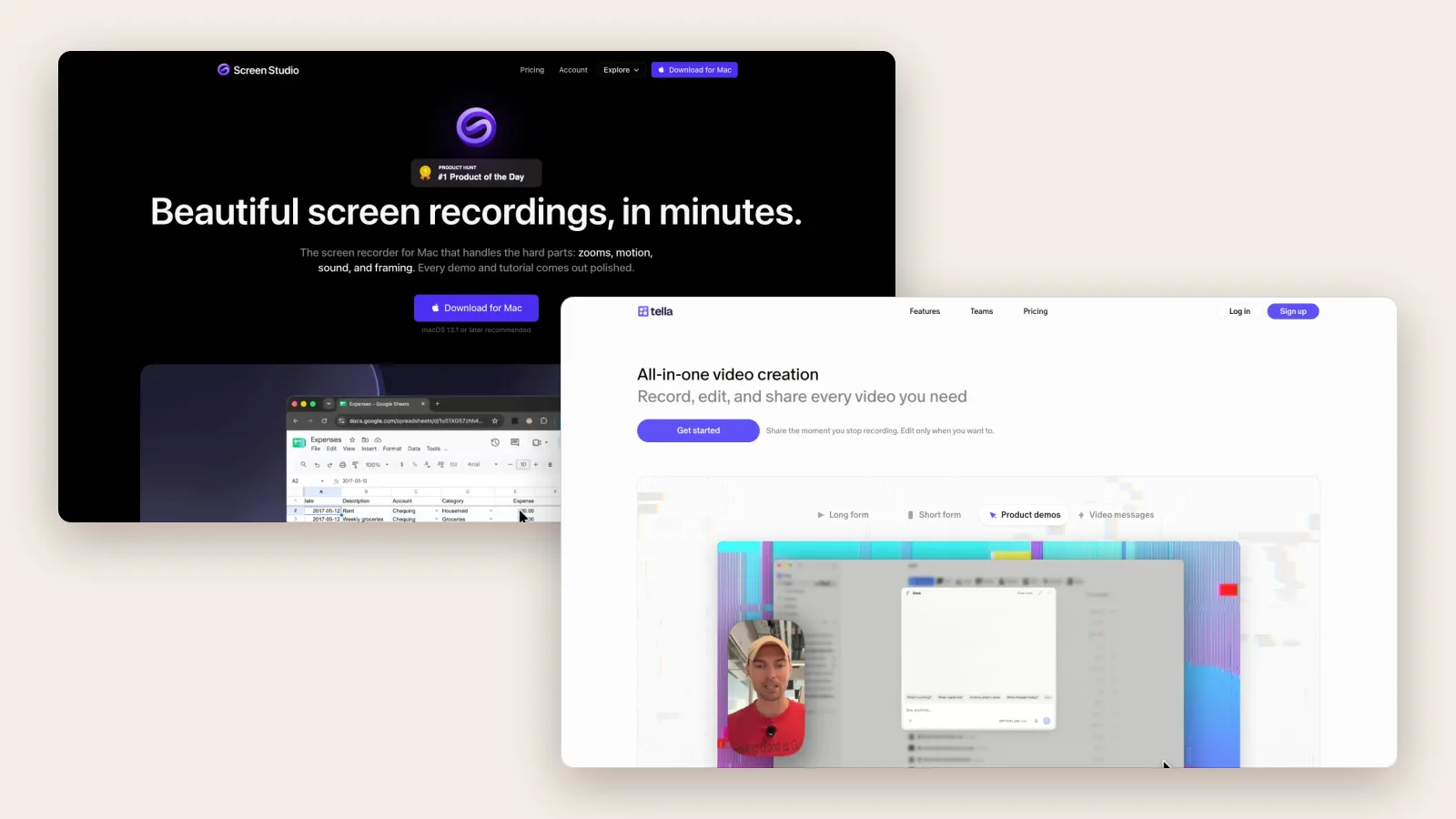
Screen Studio and Tella are both for people who want a demo that does not look like a screen recording. Both zoom in for you. Both hide the ugly parts. From a distance they are the same product.
Up close they start from different ideas. Screen Studio thinks a demo is one good take, beautifully filmed. Tella thinks a demo is a small production: several clips, a presenter, a place to publish.
Screen Studio vs Tella at a glance
| Screen Studio | Tella | |
|---|---|---|
| Runs on | Mac only, macOS 13.1 or later | Browser, Mac app, Windows app (beta), Chrome extension |
| How you record | One recording of a display, window or area | Short clips you can redo, rearrange and combine |
| Automatic zoom | Yes, on your clicks. Not for iPhone or iPad recordings | Yes, from cursor movement, in app recordings and Chrome tabs recorded with the extension |
| Cursor | Smoothed and resizable, with motion blur | Animated or hidden, in desktop app recordings |
| Edit by transcript | Yes, since version 4: delete a sentence to cut it | Yes: remove words to cut them |
| AI | An AI voice from a typed script | An agent that edits by chat, motion graphics, AI titles and chapters. No AI narration |
| Export | MP4 up to 4K at 60 fps, GIF and ProRes | MP4 up to 4K, and GIFs up to 30 seconds. 60 fps is limited to 5-minute videos on Pro |
| Sharing | Links at 1080p for videos up to 30 minutes, with view counts | Hosted pages with analytics, comments, passwords and embeds |
| For developers | An MCP server is listed as in progress | API, webhooks and an MCP server on every plan |
| Free plan | Free to record and edit; exporting a video needs a plan | None; a 7-day trial of Pro |
| Paid from | $29 a month, or $108 a year ($9 a month) | Pro $26 per user a month ($13 billed yearly) |


Where Screen Studio is the better choice
The look of the motion. Its zooms follow your clicks, the cursor glides, and fast movement gets motion blur. This is the thing it is known for, and it applies to any recording of your Mac's screen.
Files for a real edit. It exports ProRes, and MP4 up to 4K at 60 fps.
Working locally. Recordings stay on your Mac unless you choose a cloud feature such as a share link, and captions can be transcribed on the machine.
Recording an iPhone or iPad. Over USB, with nothing to install on the device.
A voice without a microphone. Type a script and an AI voice reads it. Tella's site says plainly that it "doesn't generate AI narration".
Where Tella is the better choice
You are not on a Mac. Tella records in a browser and has a Windows app in beta. Screen Studio's FAQ says there are "no near-future plans to add Windows support".
You are in the video. Tella is built around a presenter: camera layouts, speaker notes as a teleprompter, and clips, so a mistake costs one clip and not the whole take.
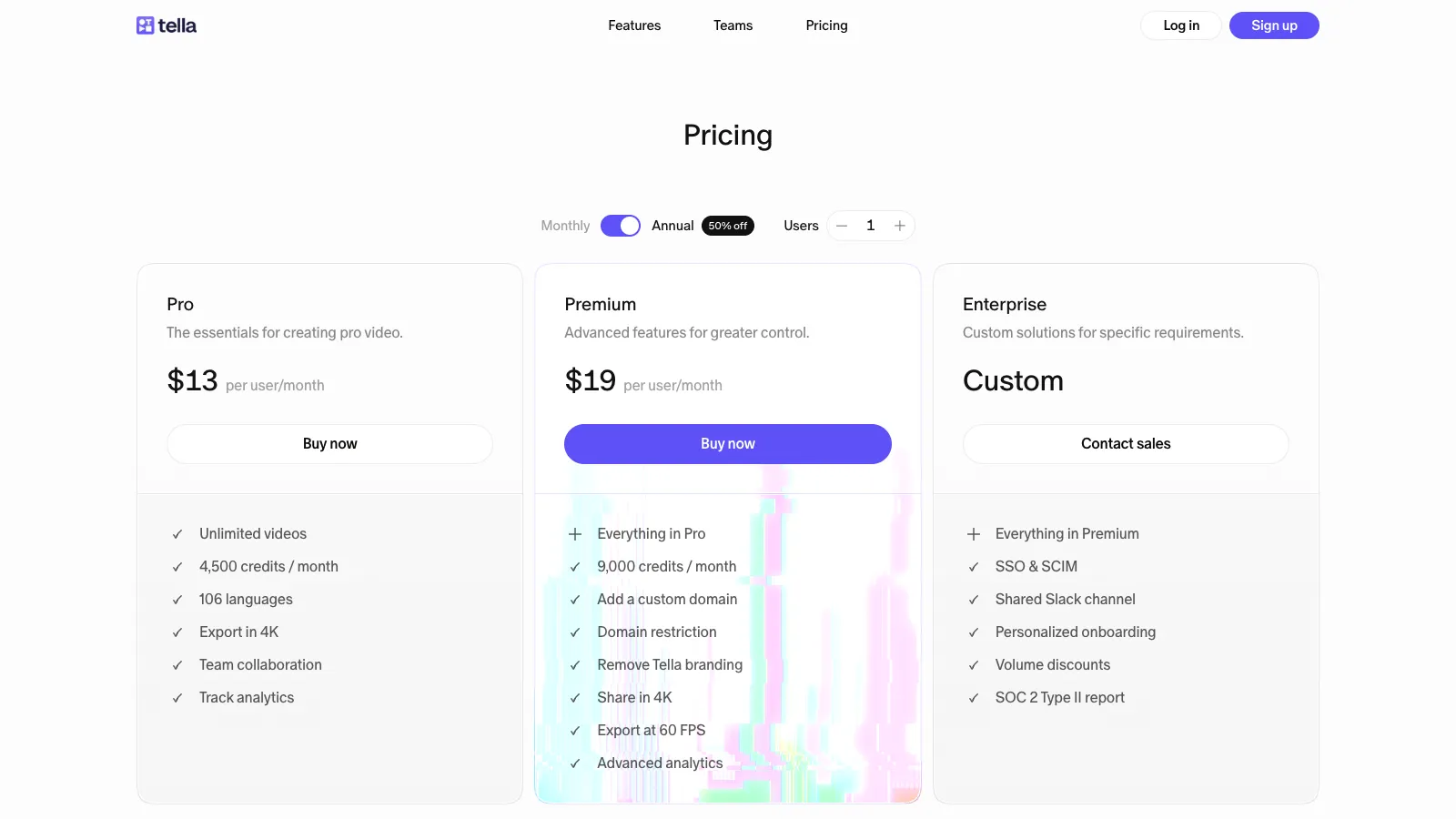
Publishing. Every video gets a hosted page with comments, password protection and embeds. Analytics show viewers, watch time and referrers. On Premium the page can sit on your own domain.
Automation. The API, webhooks and an MCP server with more than 100 tools are on every plan. Auto Capture, in beta, has an AI agent film a web app on a public domain for you.
A team. Tella is priced per user with shared workspaces. Screen Studio's roadmap lists team subscriptions as in progress.
What each one costs
Screen Studio has one feature set: $29 a month, or $108 a year. You can record and edit without paying, but not export. The one-time license is "no longer available for new purchases".
Tella has two plans. Pro is $26 per user a month, or $13 billed yearly, which is $156 a year. Premium is $39, or $19 billed yearly, and adds a custom domain, 4K sharing and 60 fps export for longer videos. There is a 7-day trial and no free plan.
Which should you pick
On a Mac, recording the product without your face, wanting the best-looking result: Screen Studio.
On Windows, or presenting on camera, or wanting the video hosted with analytics: Tella.
Both still depend on you recording again each time the product changes. If you would rather a coding agent did that, see tday vs Screen Studio and tday vs Tella.
Frequently asked questions
Do Screen Studio and Tella both have automatic zoom?
Yes, with a difference. Screen Studio zooms in on your clicks in recordings of your Mac's screen. Tella generates zooms from recorded cursor movement, in its Mac and Windows apps or a Chrome tab recorded with its extension. Its help center says web recordings, and extension recordings of a window or the entire screen, do not include cursor data.
Does Tella work on Windows?
Yes. As of November 10, 2026 Tella has a Windows app, labelled beta in its help center, for Windows 10 version 2004 or later, as well as a web recorder and a Chrome extension. Screen Studio is Mac only.
Is there a free version of Screen Studio or Tella?
Not one that exports. Screen Studio lets you record and edit without a plan, but exporting a video needs one. Tella has a 7-day trial of Pro with no credit card, and no free plan after it.
Which is cheaper, Screen Studio or Tella?
As of November 10, 2026, Screen Studio is $29 a month or $108 a year. Tella Pro is $26 per user a month, or $13 a month billed yearly, which is $156 a year. So Tella is slightly cheaper monthly and Screen Studio is cheaper yearly.
More comparisons
tday vs Screen Studio
Screen Studio polishes a recording you make on a Mac. tday has your coding agent make the recording. Features, limits and prices as of November 10, 2026.tday vs Tella
Tella is a studio for videos you present. Its agent films web apps on public domains. With tday, your coding agent films localhost too. November 10, 2026.tday vs Loom
Loom records you explaining something. tday has your coding agent record the product. What each is for, its limits and its price, as of November 10, 2026.tday vs Arcade
Arcade now sells AI video for marketing teams, with interactive demos priced separately. tday records your real app. What each costs as of November 10, 2026.tday vs Supademo
Supademo makes click-through demos from screenshots. tday makes narrated videos your coding agent records. Features and prices as of November 10, 2026.Loom vs Screen Studio
Loom gets a link to a teammate in seconds. Screen Studio makes a recording look produced. Platforms, features and prices compared as of November 10, 2026.Loom vs Tella
Loom is for quick videos to people you work with, and has a free plan. Tella is for videos you publish, with automatic zoom. Compared as of November 10, 2026.Arcade vs Supademo
Both sell interactive demos at $50 a seat. Arcade has since turned to AI video. Supademo gives more for free. Plans and limits as of November 10, 2026.Arcade vs Storylane
Arcade charges per seat and has turned to AI video. Storylane charges per plan and sells to sales teams. Prices and limits as of November 10, 2026.


Or see all of them at once: The best demo video tools for developer-led startups in 2026, compared.
Sources
- Screen Studio: features, pricing and FAQ, Screen Studio
- Screen Studio system requirements, Screen Studio
- Screen Studio changelog, Screen Studio
- Screen Studio roadmap, Screen Studio
- Screen Studio download, Screen Studio
- Tella pricing, Tella
- Tella plans, Tella
- Add a zoom, Tella
- Edit the transcript of a Tella video, Tella
- Windows app system requirements, Tella
- Tella sharing, Tella
- Tella MCP, Tella
- Auto Capture, Tella
Have your coding agent record your first demo
One prompt in Claude Code, Cursor or Codex records a narrated demo of your app. tday voices, styles and renders it, ready for your docs. Free includes 5 saved demos.