What does a product demo video cost in 2026? Software prices compared
The free plan and lowest paid price of 14 demo tools, read from each pricing page on November 10, 2026, and what each price leaves out.
By the tday team Published 9 min read
The short answer
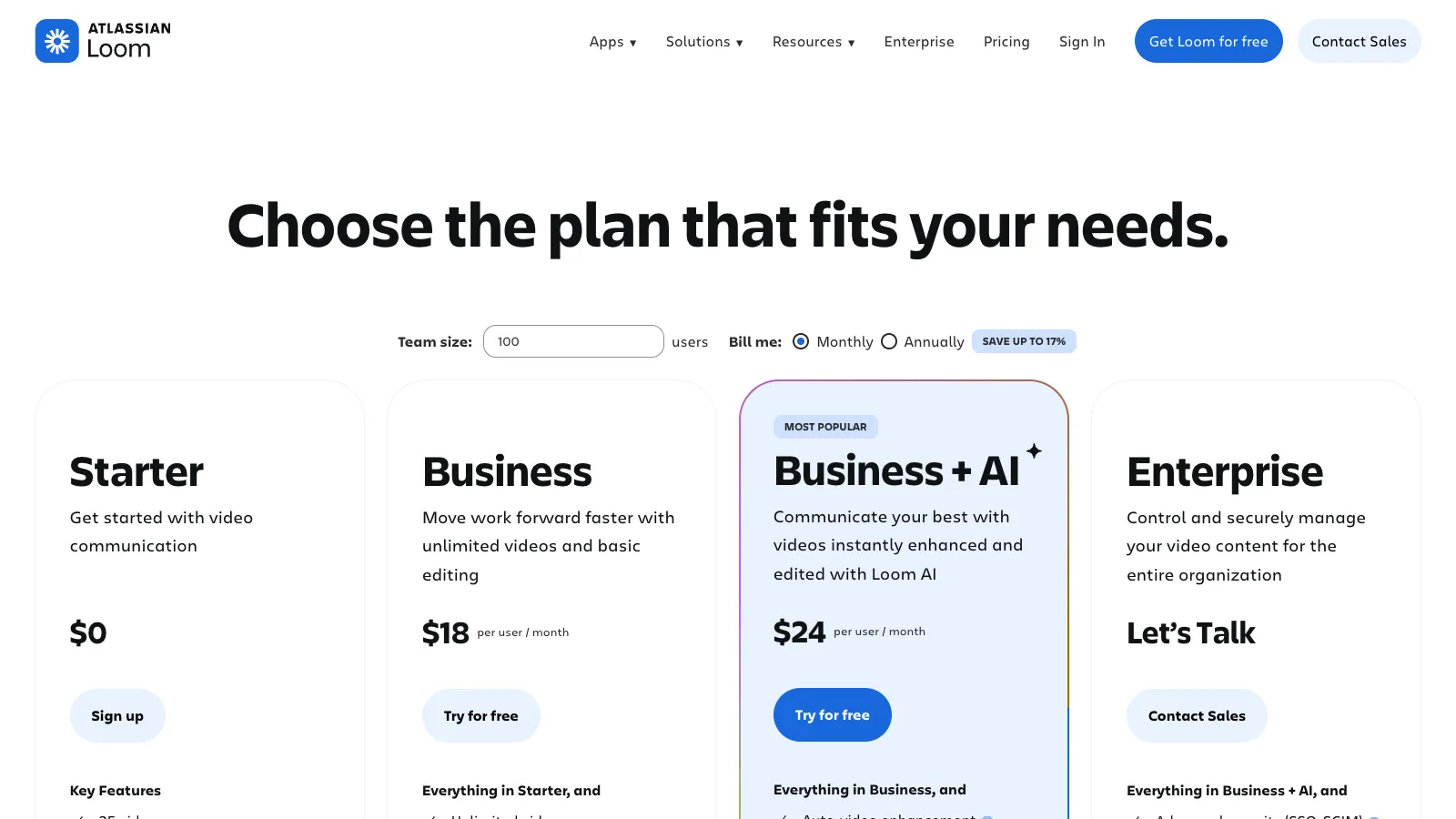
As of November 2026, the cheapest way to make a product demo video with software is a free plan. Loom's gives 25 videos of up to 5 minutes each, at 720p. tday's gives 5 saved demos and 100 credits a month, with a tday badge. The lowest paid price is Cap's: Desktop License $29 a year, or $58 once. Pro $12 per user a month ($8.16 billed yearly). Interactive demo tools such as Navattic and Walnut start at $500 a month or more.
Key takeaways
- Ten of the 14 tools here have a free plan you can keep using. Each one has a catch: a cap on videos, a watermark, a lower resolution or personal use only.
- For one person, 12 of the 14 start at under $60 a month. The two that do not, Navattic and Walnut, sell to sales teams.
- The price on the page is rarely the whole price. Check whether it is per seat, whether it is billed yearly, and which plan the feature you want is on.
- A screen recorder's price does not include your time. Every update to the product means recording again.
- For a demo your coding agent records in tday, credits pay only for the voiceover. Recording and rendering it use none.
Accurate as of . Every fact about another product was read from its vendor's own website that day, and each page is listed under Sources. Prices and plans change, so check the vendor's page before you buy. tday publishes this blog and makes one of the tools below.
This post answers one narrow question: what the software costs. Every figure was read from the vendor's own pricing page on November 10, 2026, and each page is listed in the sources.
It does not cover what an agency or a freelancer charges. We have no source for those prices, so we do not guess.
The short version
- Free: possible, for a few videos. Most free plans cap the count or add a watermark.
- One person, paid: 12 of the 14 tools start at under $60 a month.
- A sales team's interactive demos: from $500 a month.
What you get for the money differs more than the price does. A screen recorder films you using the product. An AI how-to tool turns your recording into a narrated guide. An interactive demo tool makes something a viewer clicks through, which is not a video at all. tday has your coding agent do the recording.
Screen recorders and editors
You record the product yourself, with your own voice. These are the cheapest paid tools on the list.
| Tool | Free plan | Paid from |
|---|---|---|
| Loom | 25 videos of up to 5 minutes each, at 720p | Business $18 per user a month, or $180 a year |
| Screen Studio | Free to record and edit; exporting a video needs a plan | $29 a month, or $108 a year ($9 a month) |
| Tella | None; a 7-day trial of Pro | Pro $26 per user a month ($13 billed yearly) |
| Cap | Personal use only: local recording with no time limit, and 25 shareable links a month up to 5 minutes | Desktop License $29 a year, or $58 once. Pro $12 per user a month ($8.16 billed yearly) |
| Descript | 60 media minutes a month, 720p export | Hobbyist $24 per person a month ($16 billed yearly) |


Things the table hides:
- Loom is priced per user. Its free plan has no downloads. Editing by transcript and removing filler words need Business + AI, at $24 per user a month.
- Screen Studio is Mac only. You can record and edit without a plan, but not export. The one-time license some articles still quote is no longer sold to new buyers.
- Tella has no free plan, only the trial.
- Cap is free for personal use only. Commercial use needs the Desktop License.
AI how-to video tools
These turn a recording of you clicking through a task into a step-by-step video with an AI voice.
| Tool | Free plan | Paid from |
|---|---|---|
| Guidde | Up to 25 how-to videos | Pro $29 per creator a month ($19 billed yearly) |
| Clueso | 10 minutes of video exports a month | Solo $40 a month, billed yearly |
| Trupeer | Free for 10 days, recordings up to 5 minutes | Pro $49 a month ($40 billed yearly) |


Clueso's Solo price is the yearly-billed one. Trupeer's free tier is a 10-day trial, not a plan you keep.
Interactive demo tools
An interactive demo is a click-through copy of your interface, not a video. It is here because people price the two against each other. If you are choosing between the formats, read demo video or interactive demo first.
| Tool | Free plan | Paid from |
|---|---|---|
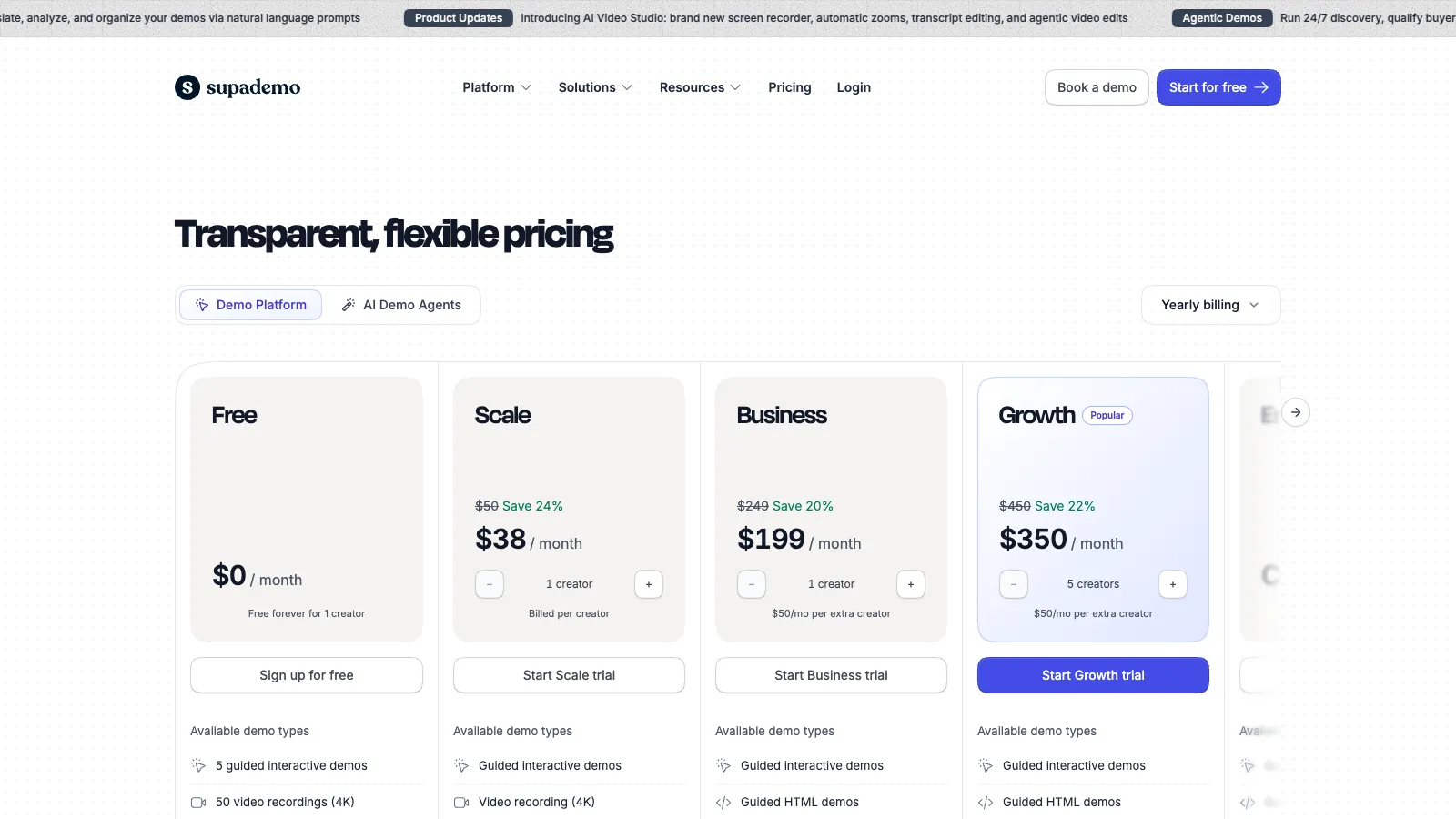
| Supademo | 5 interactive demos and 50 screen recordings, with a watermark | Scale $50 per creator a month ($38 billed yearly) |
| Storylane | 1 published demo and 200 AI credits, with a watermark | Starter $50 a month ($40 billed yearly) |
| Arcade | Demos: 1 published demo, with a watermark. AI video: 250 one-time credits | Demos: Growth $50 per seat a month ($42.50 billed yearly). AI video: Pro $59 a month ($49 billed yearly) |
| Navattic | 1 seat and 1 demo | Base $600 a month ($500 billed yearly), with 5 seats |
| Walnut | None | Ignite $575 a month, billed yearly |


Things the table hides:
- Arcade has two price lists, and one does not include the other. Interactive demos are one subscription. AI video is another.
- Supademo charges per creator. AI voiceover starts on Scale. Capturing a page's HTML starts on Business, at $249 a month.
- Storylane's Starter covers one seat. HTML demos start on Growth, at $625 a month, or $500 billed yearly.
- Navattic's Base plan includes 5 seats, and Walnut's Ignite 3 editor seats, so the per-person price is lower than it looks. Walnut has no free plan.
What tday costs
tday makes narrated demo videos that your coding agent records from the app running on your machine. It charges per plan, with seats included.
| Plan | Price | Saved demos | New versions a month | Credits a month | Seats |
|---|---|---|---|---|---|
| Free | $0 | 5 | 10 | 100 | 1 |
| Pro | $39 a month | 25 | 50 | 500 | 2 |
| Growth | $149 a month | 150 | 300 | 2,000 | 3 |
| Enterprise | Contract | Contract | Contract | Contract | Contract |
The plan sets how many demos you can keep, not how many you record. tday's docs put it this way: "Re-recording and re-cutting a demo are included, up to twice as many new versions a month as your plan's saved demos."
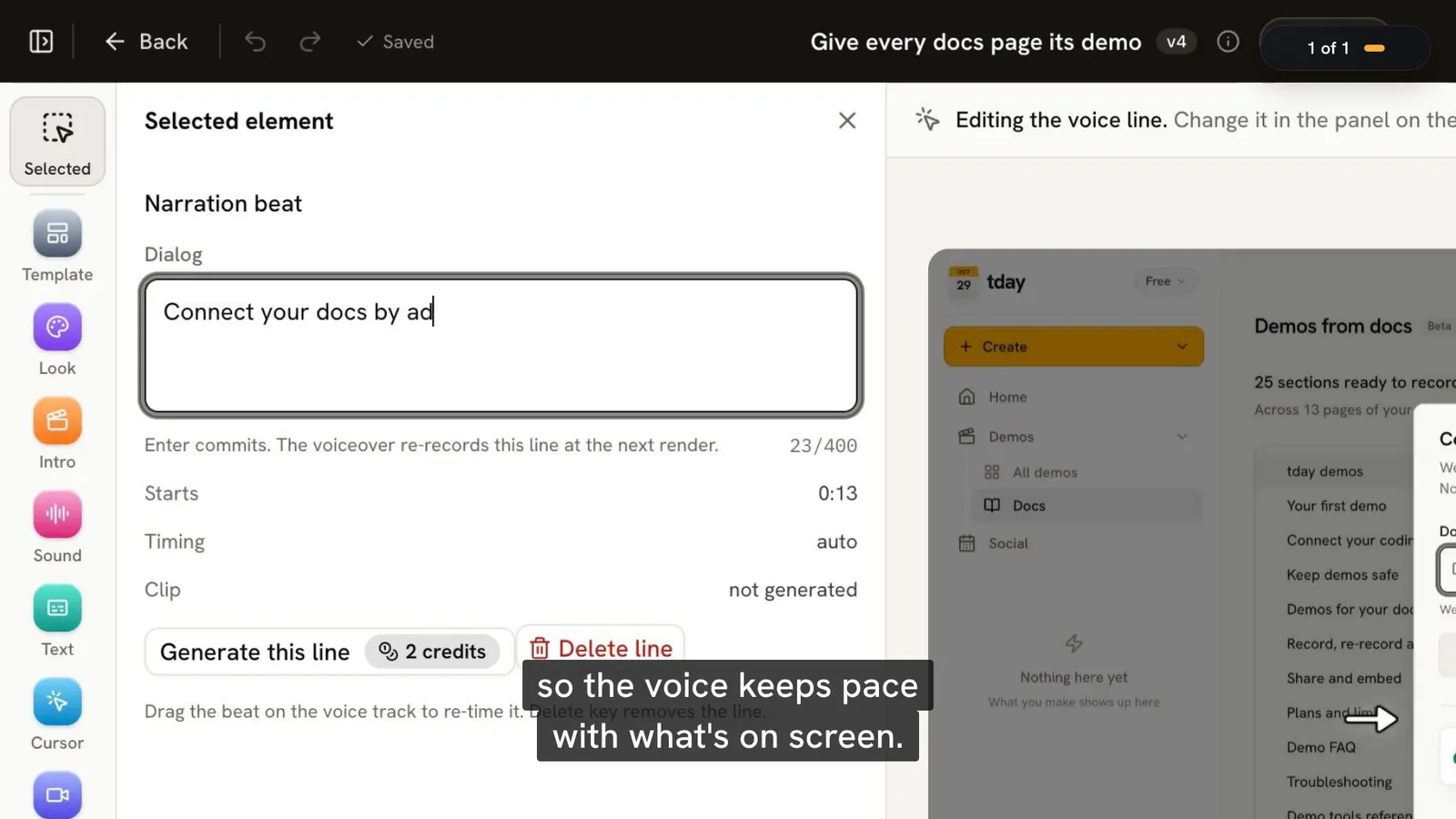
Credits pay for one thing. In the docs' words: "Recording and rendering a demo use no credits; its voiceover spends your plan's monthly credits, by the second."
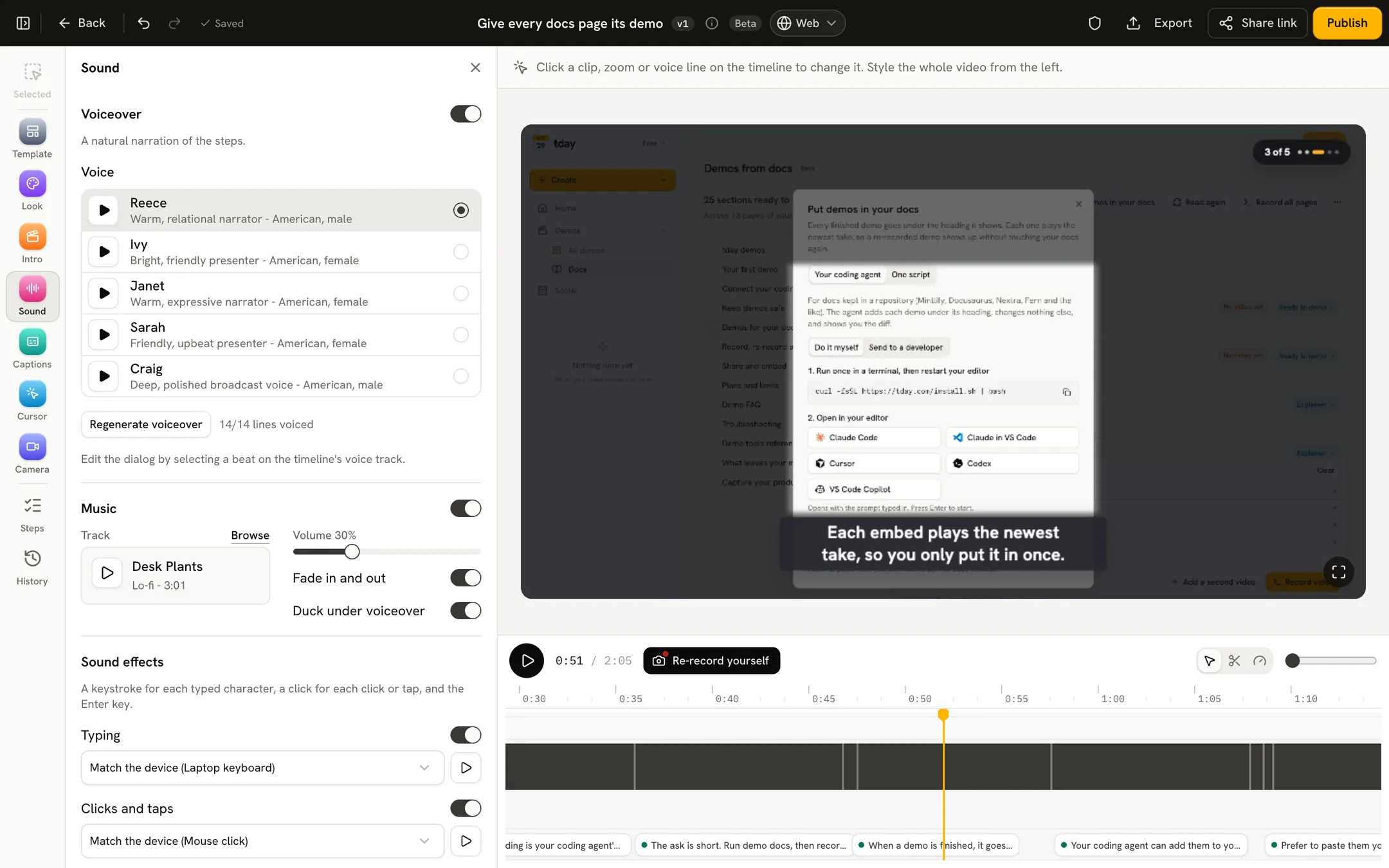
The voice costs 10 credits a minute. So Free's 100 credits are 10 minutes of voiceover a month, Pro's 500 are 50 minutes, and Growth's 2,000 are 200 minutes. Credits are spent each time tday voices a line: on the first render, on a new cut, and when you regenerate a line. Unused credits do not roll over.
If the credits run out, tday still makes the demo, without a voiceover, and shows short step notes in place of the spoken lines. Once you have credits again, Generate voiceover in the editor voices it.
What tday's price does not include:
- A coding agent. tday needs one you already use, such as Claude Code, Cursor or Codex. It is not part of tday.
- A developer's machine. The agent records the app running from its repo. Someone with the code has to start it. Recording in the cloud is on Enterprise only.
- Interactive demos. tday makes videos, not click-through tours.
- Recording on its own. tday does not record a demo by itself when code is pushed or merged. Your agent records when you ask.
- A clean share page on Free. Free demos carry the tday badge, on the share page, in every embed and on a downloaded video.
Current prices are on the pricing page.
What a price does not include
Five things change what you really pay. Check each before you compare two numbers.
Seats. Loom, Tella, Cap Pro, Guidde, Descript, Supademo and Arcade's interactive demos are priced per person. Three people pay three times the figure in the table. Navattic, Walnut and tday's paid plans include more than one seat.
Yearly billing. Where a table shows two figures, the lower one is the monthly rate when you pay for a year. Screen Studio is the clearest case: $29 a month, or $108 a year ($9 a month).
The plan your feature is on. The starting price buys the starting plan. HTML capture and transcript editing each sit above the entry paid plan on at least one tool here.
The free plan's catch. Supademo, Storylane and Arcade's free demos carry a watermark, and tday's carry its badge. Loom's free videos stop at 5 minutes and 720p. Descript's free export is 720p.
Your time. No pricing page lists this one. With a screen recorder, a person records every video, and records it again when the product changes. That is the cost that grows with the number of demos. It is why keeping demo videos up to date is harder than making the first one.
The cheapest way to make one
It depends on who does the recording.
- You record it, and it is for personal use: Cap's free plan records locally with no time limit.
- You record it for work, free: Loom's free plan, if 5 minutes at 720p is enough. Or record and edit in Screen Studio for free, and pay only when you need to export.
- You record it for work, paid: Cap's Desktop License is the lowest price here.
- You want an AI voice over your own recording: Guidde's free plan, then its Pro plan.
- Your coding agent records it: tday's free plan, for up to 5 saved demos and 10 minutes of voiceover a month. See how to record a product demo with your coding agent.
The cheapest tool is not always the cheapest demo. If you will make one video, a free screen recorder wins. If you will keep twenty current, price the re-recording, not the first take.
For what each of the 14 tools does, see the best demo video tools for developer-led startups.
Frequently asked questions
How much does demo video software cost?
As of November 2026, from nothing to about $60 a month for one person on most tools. Loom starts at Business $18 per user a month, or $180 a year. Screen Studio is $29 a month, or $108 a year ($9 a month). tday starts at Pro $39 a month. Interactive demo tools for sales teams cost more: Navattic's lowest plan is Base $600 a month ($500 billed yearly), with 5 seats.
Can I make a product demo video for free?
Yes, within limits. As of November 2026, Loom's free plan gives 25 videos of up to 5 minutes each, at 720p. Cap's free plan is for personal use only. Guidde's gives up to 25 how-to videos. tday's free plan gives 5 saved demos and 100 credits a month, with a tday badge.
What do tday credits pay for in a demo?
In a demo your coding agent records, only the voiceover. tday's docs say: "Recording and rendering a demo use no credits; its voiceover spends your plan's monthly credits, by the second." The voice costs 10 credits a minute, so the Free plan's 100 credits are 10 minutes of voiceover a month. With no credits left, tday still makes the demo, without a voiceover.
Why do some demo tools cost $500 a month or more?
They are interactive demo platforms sold to sales teams, and their plans include several seats. As of November 2026, Navattic's lowest paid plan is Base $600 a month ($500 billed yearly), with 5 seats, and Walnut's is Ignite $575 a month, billed yearly. They make click-through demos, not videos.
What does a demo video cost from an agency or a freelancer?
This post does not say, because we have no source for it. Every price here was read from a software vendor's own pricing page on November 10, 2026. Ask an agency or freelancer for a quote, and compare it with the tools above.
More comparisons
tday vs Storylane
Storylane makes click-through demos for sales teams. tday makes narrated videos your coding agent records. Features and prices as of November 10, 2026.tday vs Loom
Loom records you explaining something. tday has your coding agent record the product. What each is for, its limits and its price, as of November 10, 2026.tday vs Screen Studio
Screen Studio polishes a recording you make on a Mac. tday has your coding agent make the recording. Features, limits and prices as of November 10, 2026.tday vs Tella
Tella is a studio for videos you present. Its agent films web apps on public domains. With tday, your coding agent films localhost too. November 10, 2026.tday vs Arcade
Arcade now sells AI video for marketing teams, with interactive demos priced separately. tday records your real app. What each costs as of November 10, 2026.tday vs Supademo
Supademo makes click-through demos from screenshots. tday makes narrated videos your coding agent records. Features and prices as of November 10, 2026.Supademo vs Storylane
Both make click-through demos from $50 a month. Supademo gives more for free. Storylane is built for sales teams. Plans and limits as of November 10, 2026.Loom vs Screen Studio
Loom gets a link to a teammate in seconds. Screen Studio makes a recording look produced. Platforms, features and prices compared as of November 10, 2026.Screen Studio vs Tella
Screen Studio polishes one recording on a Mac. Tella builds a video from clips on Mac, Windows or the web, and hosts it. Compared as of November 10, 2026.Loom vs Tella
Loom is for quick videos to people you work with, and has a free plan. Tella is for videos you publish, with automatic zoom. Compared as of November 10, 2026.Arcade vs Supademo
Both sell interactive demos at $50 a seat. Arcade has since turned to AI video. Supademo gives more for free. Plans and limits as of November 10, 2026.Arcade vs Storylane
Arcade charges per seat and has turned to AI video. Storylane charges per plan and sells to sales teams. Prices and limits as of November 10, 2026.


Or see all of them at once: The best demo video tools for developer-led startups in 2026, compared.
Sources
- Loom pricing, Loom
- Screen Studio, Screen Studio
- Tella pricing, Tella
- Cap pricing, Cap
- Descript pricing, Descript
- Guidde pricing, Guidde
- Clueso pricing, Clueso
- Trupeer pricing, Trupeer
- Supademo pricing, Supademo
- Storylane plans, Storylane
- Arcade interactive demo pricing, Arcade
- Arcade AI video pricing, Arcade
- Navattic pricing, Navattic
- Walnut pricing, Walnut
- tday plans and limits, tday docs
- Record, re-record and edit, tday docs
- Demo FAQ, tday docs
- tday demos, tday docs
Have your coding agent record your first demo
One prompt in Claude Code, Cursor or Codex records a narrated demo of your app. tday voices, styles and renders it, ready for your docs. Free includes 5 saved demos.